1. What Wisenet WAVE is
WAVE is the software layer that turns a pile of cameras into a managed surveillance system. One client gives your team live view, playback, export, and alerts across every camera on every recorder — Hanwha or third-party (ONVIF) — on one site or a hundred.
Works with what you have
Native Hanwha support plus automatic discovery of ONVIF cameras and recorders — mixed fleets welcome. See auto discovery.
Grows with you
Start with one small server and a handful of channels; scale toward 100 servers and 10,000 resources by adding servers to the same system.
Own it, don't rent it
Perpetual per-channel licensing with no annual fees (a subscription option exists — see licensing).
Explore the rest of the Wave guide: operator tools (desktop, mobile, video wall) · AI search & automation · users, security & remote access.
2. How a WAVE system is built
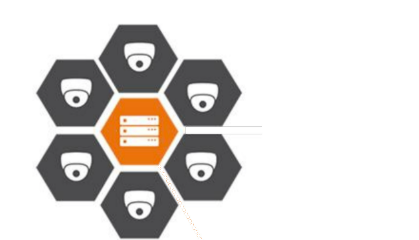
A WAVE deployment is a System of one or more Servers. Each server runs the WAVE media server service — recording cameras, storing archive, and serving streams to clients. Servers in a system share configuration and work as one logical unit, while each server holds the archive of the cameras it records.
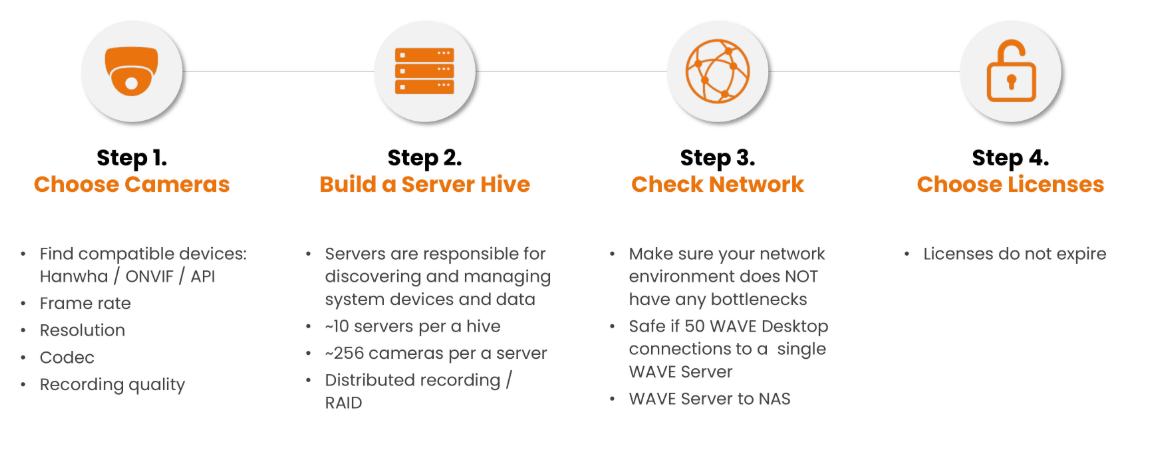
Failover is automatic: with two or more servers, if one drops offline its cameras re-home to a standby server (grouped by location) within about a minute — recording continues with no operator action. Systems scale to roughly 100 servers, 10,000 resources, and 1,000 users; a single server handles up to ~256 cameras.
Planning in four steps (the WAVE system design process): size servers for channel counts and bandwidth → place failover → configure cameras, storage, and users → operate and monitor. We size the storage math with the System Calculator.
3. Merging systems: multi-site without ripping anything out
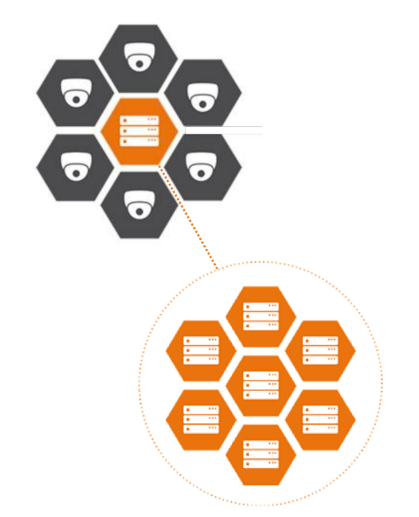
Separate WAVE systems — even ones installed years apart — can be merged into a single system. Sites keep recording locally (the archive never moves), but monitoring, users, and layouts become unified: one operator console for every location.
Merging combines licenses too, so consolidation isn't a re-purchase event. Local-to-local merges happen between servers; sites can also connect through the cloud portal for remote federation (local systems can merge up to cloud — see WAVE Sync & cloud).
This is the standard answer for "we have three buildings, each with its own recorder, and one guard room."
4. Licensing: buy channels once, keep them
WAVE licensing is refreshingly simple compared to subscription-first competitors:
- Try free: a 30-day full-feature trial, and every system permanently includes 4 free channel licenses
- Professional (perpetual): per-channel licenses, bought once — no annual fees, tied to your server's hardware ID
- Video Wall licenses: each covers two monitors of a video-wall cluster
- Embedded Recorder licenses: add Hanwha appliance NVRs to a WAVE system for management
- Optional subscription: WAVE's cloud "Organizations" service can convert licenses into 24-month service terms if you prefer op-ex
Appliance buyers: WAVE-ready NVRs include bundled licenses out of the box.
What a channel license covers
- One camera channel in one WAVE system, permanently
- Merging systems combines license pools
- Failover keeps recording during server outages (30-day license grace)
- Free SDK/API for custom integrations (see integrations)
5. Auto discovery: cameras add themselves
Adding cameras shouldn't be an IP-address spreadsheet exercise. WAVE automatically discovers devices on the network — Hanwha cameras/NVRs via the Wisenet protocol, and third-party devices via ONVIF — then adds them with the right model metadata in a couple of clicks. New sites go from unboxing to live view in minutes, not days.
6. Turnkey WAVE appliances
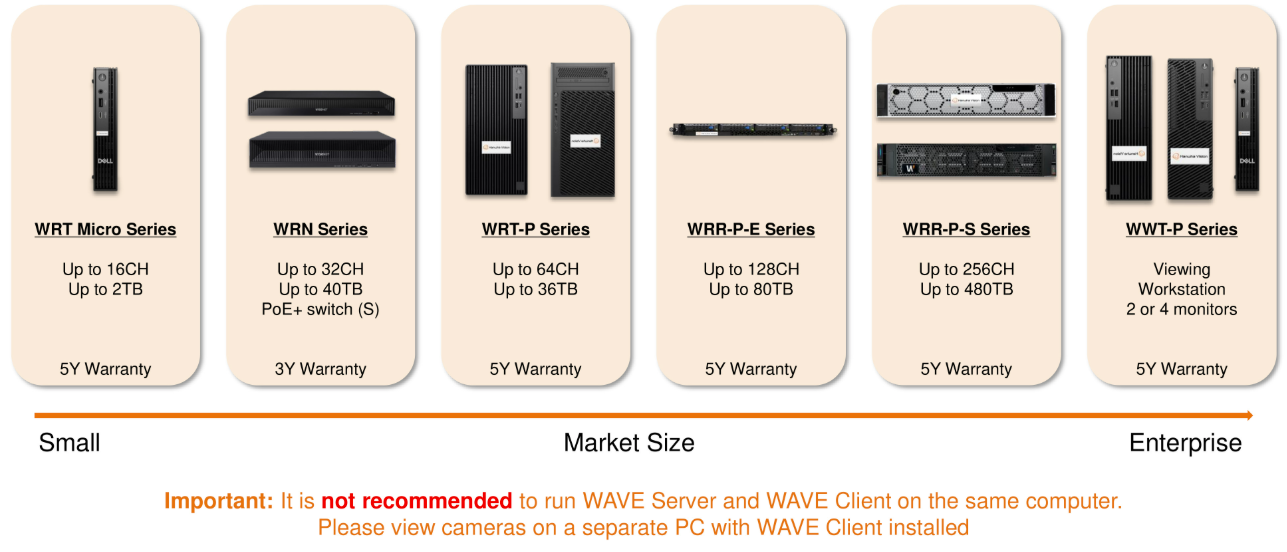
Don't want to build a VMS server? Hanwha's WAVE appliance series are recorders that ship with WAVE pre-installed and licenses bundled — power on, discover cameras, done. They come in the same channel/bay tiers as the standard NVR line, including WAVE-server editions and client-workstation appliances for control rooms.
Full details, series, and the BLAZE hybrid-AI line are on the NVRs & appliances page.