1. The main camera types
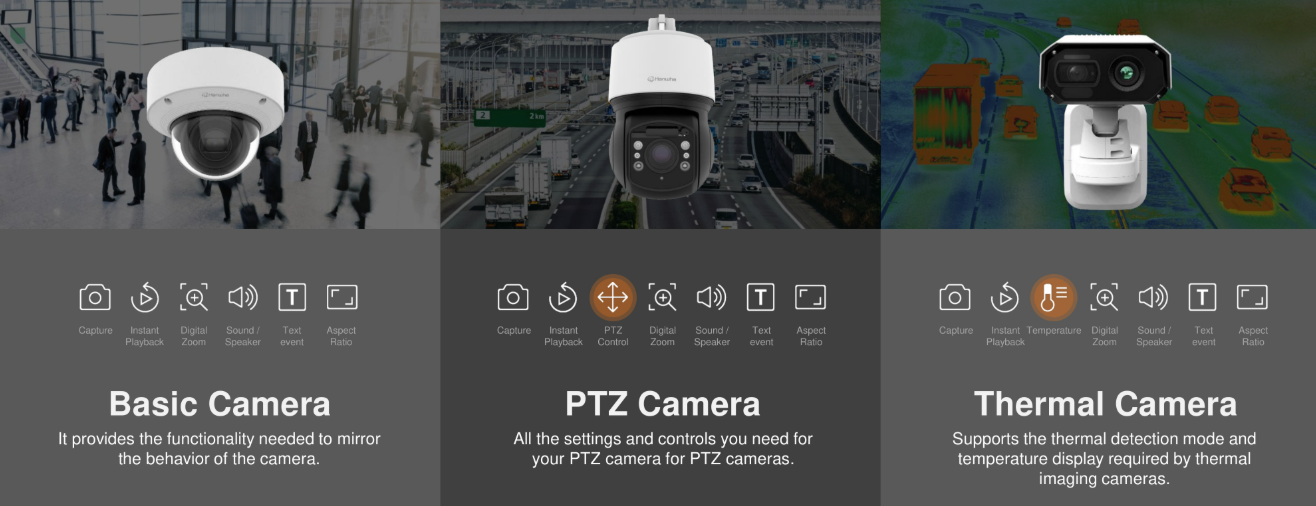
Fixed cameras (dome & bullet)
The workhorses. One fixed view, covering an entrance, lane, yard, or room — 24/7, at the lowest cost per area covered.
- Dome: discreet, vandal-resistant, ideal for ceilings and indoor/outdoor wall mounts
- Bullet: visible deterrent, longer lenses, easy aiming
- Available with fixed or motorized varifocal lenses (aim and zoom from your desk)
PTZ cameras
Pan-tilt-zoom cameras that sweep large areas and zoom into detail on demand — or automatically when an event occurs.
- Auto-tracking: the camera locks onto a person or vehicle and follows them across the scene
- Preset positions: instant jump-to-scan of gates, doors, and lanes
- Pairs with fixed cameras for awareness + detail workflows
Thermal cameras
Detect heat instead of light — they see in total darkness, through smoke and light fog, and are nearly immune to headlights and sun glare.
- Perimeter intrusion detection in zero-light conditions
- Long-range detection with narrow thermal lenses
- Bi-spectrum models pair thermal with a visible camera in one housing
- Radiometric variants measure actual temperature — overheat and fire-risk alerts
Where AI fits
Nearly all modern Hanwha lines offer AI variants (model numbers carry an "A") that add object detection, attributes, and BestShot at the edge — the biggest single upgrade in image "value" per dollar.
2. Multi-sensor cameras & PTZ teamwork
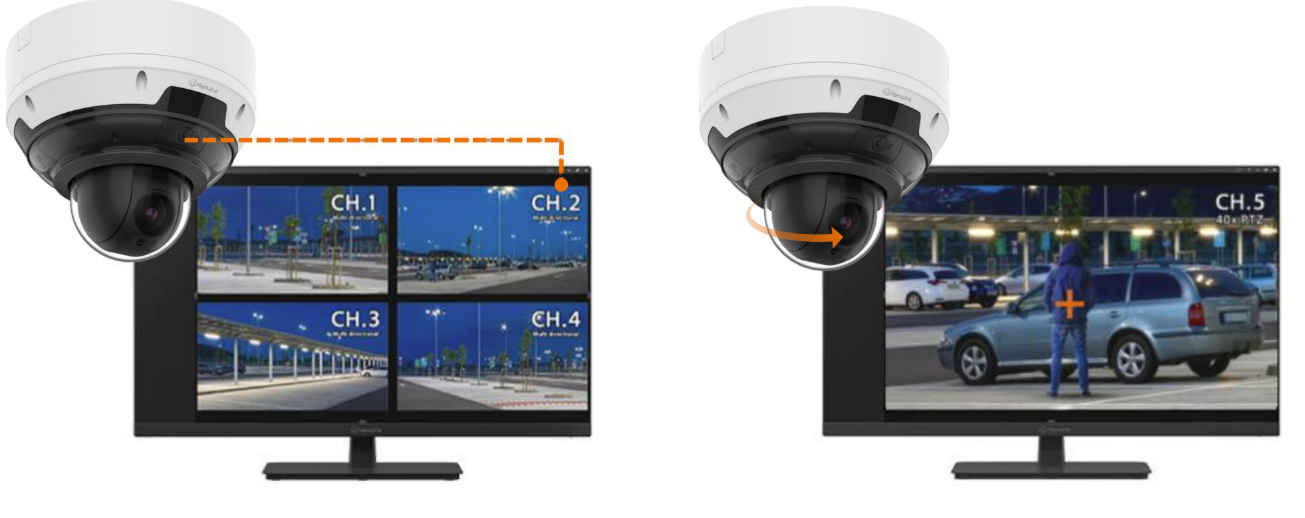
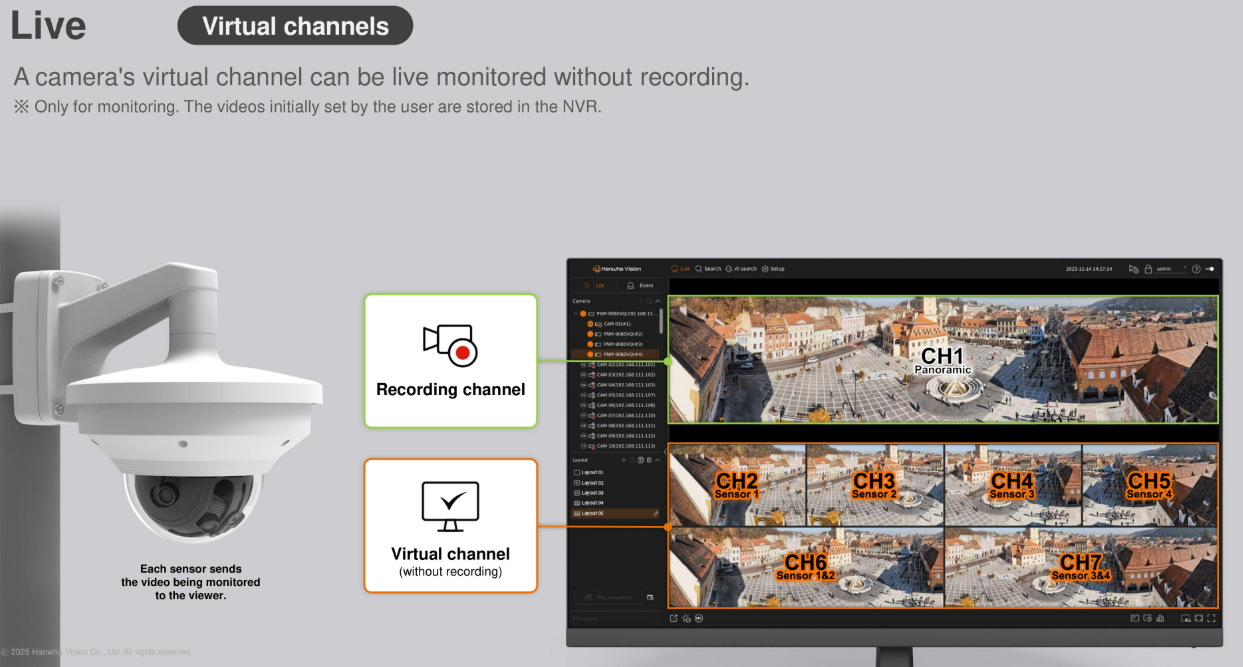
A multi-sensor camera packs several independently aimed lenses into one housing. Each sensor appears in your software as its own virtual camera — its own stream, its own recording channel — while sharing one cable, one mount, one power drop.
Why that's a big deal on real jobs: fewer poles, fewer cables, fewer licenses, fewer mounts — and wide multi-directional coverage (180°–360°) from a single point. Great for intersections, courtyards, loading yards, and building corners.
The show-stopper combo: multi-sensor + PTZ. The multi-sensor keeps wide situational awareness; when it sees something, the paired PTZ auto-zooms to that exact spot and captures close-up detail (with PTZ handover between views as the target moves). One wide view watching everything, one narrow view catching everything.
3. Focal length: how much scene, how much detail
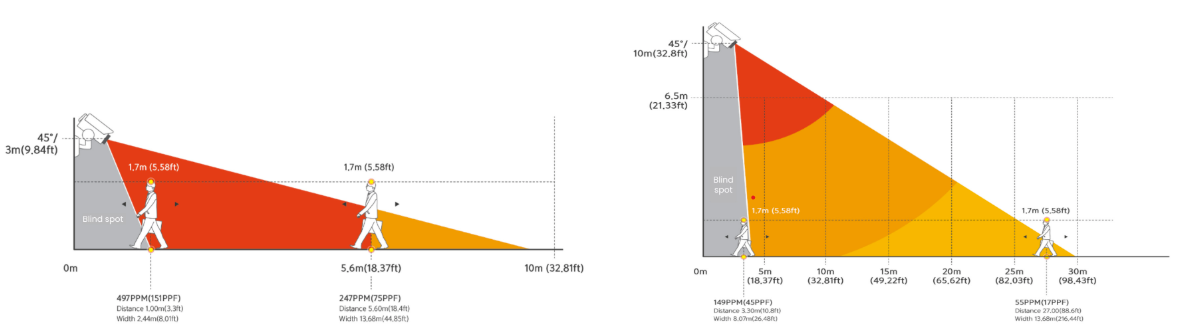
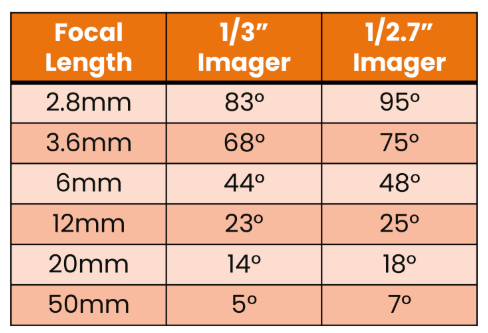
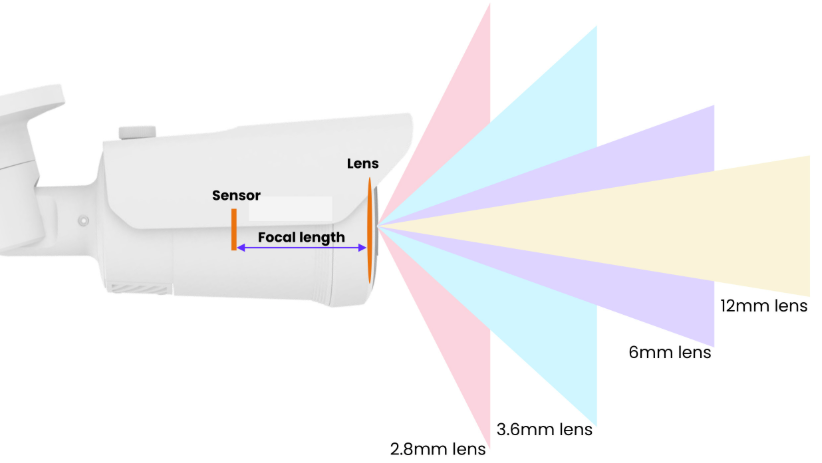
The lens decides the trade-off between coverage and detail:
- Short focal lengths (≈2.8–4 mm) see a wide area — great for overall awareness of a yard or room, but faces get small fast.
- Longer focal lengths (≈6–12 mm+) magnify — you identify faces and plates, but cover less area.
- Motorized varifocal lenses let you fine-tune after mounting, remotely — no ladder needed later.
Rule of thumb used in the industry: plan detection (something moved), recognition (what kind of thing), and identification (who exactly) at different distances — and pick the lens for the farthest level you actually need. Our DesignPro & simulator tools preview coverage before anything is purchased.
4. WDR: seeing into doorways, docks, and sunsets
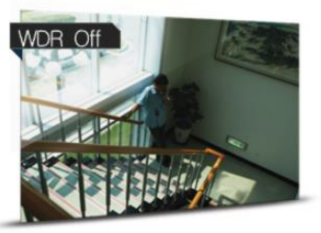
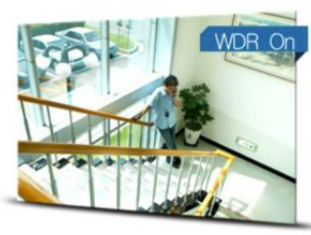
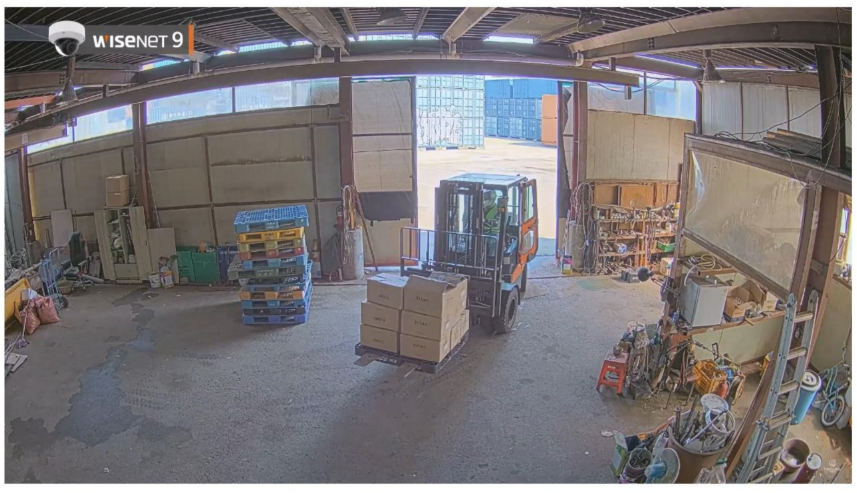
Any scene with a bright window or open sky next to shadow — front doors, loading docks, gate lines — destroys normal cameras: the bright half blows out white, the dark half goes black. Wide Dynamic Range (WDR) balances both.
Hanwha takes it two steps further: extreme-WDR hardware (up to 120 dB on AI models) plus AI-based WDR, which analyzes the scene and tunes exposure, contrast, and motion artifacts intelligently — avoiding the washed-out "HDR look" of older WDR.
There's also AI Prefer Shutter: the camera slows the shutter when the scene is still (for brightness and low noise) and speeds it up the instant something moves (to stop blur). You get bright still scenes and sharp moving subjects.
5. Low light: AI noise reduction & WiseNRII
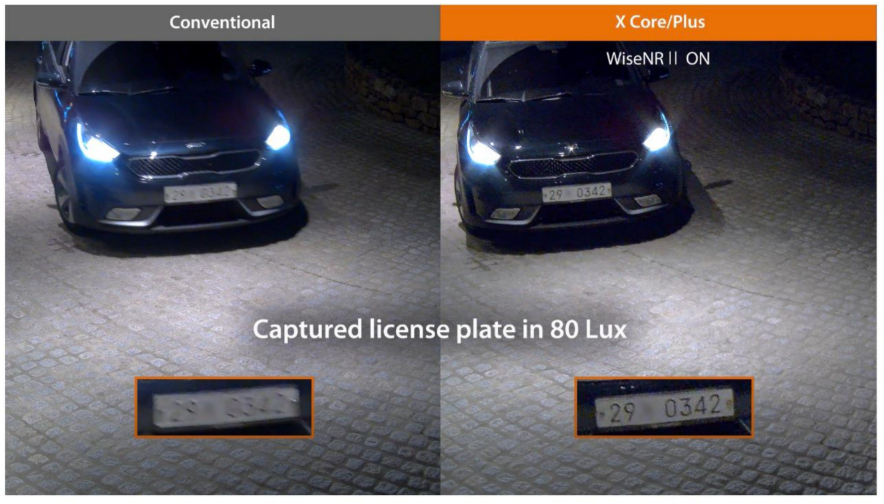
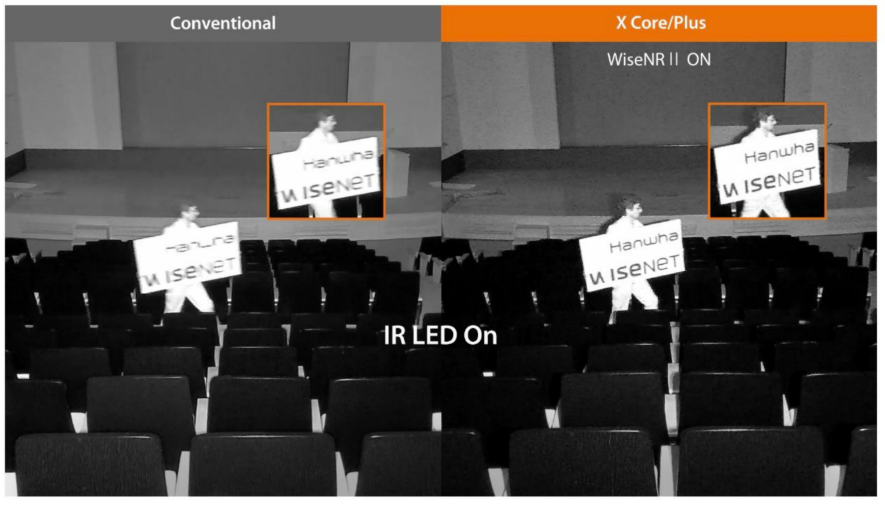
In near-darkness, sensors pick up noise — colored grain that hides faces and plate characters. Old noise-reduction filters smoothed it away by smearing the whole image: faces blur, edges melt, and moving subjects ghost.
Hanwha's AI noise reduction (shown at work in WiseNRII example footage) is trained on the exact noise characteristics of each camera's image sensor, so it separates real detail from grain pixel by pixel — keeping textures, edges, and colors while wiping the noise. It even reduces the video bitrate, because noise itself is data the encoder no longer has to carry: cleaner footage, smaller files.
Paired with WiseIR adaptive infrared illumination (up to ~130 ft on standard models and ~200 ft on long-range LPR bullets), after-dark footage becomes genuinely usable.
6. Lens distortion correction (LDC)
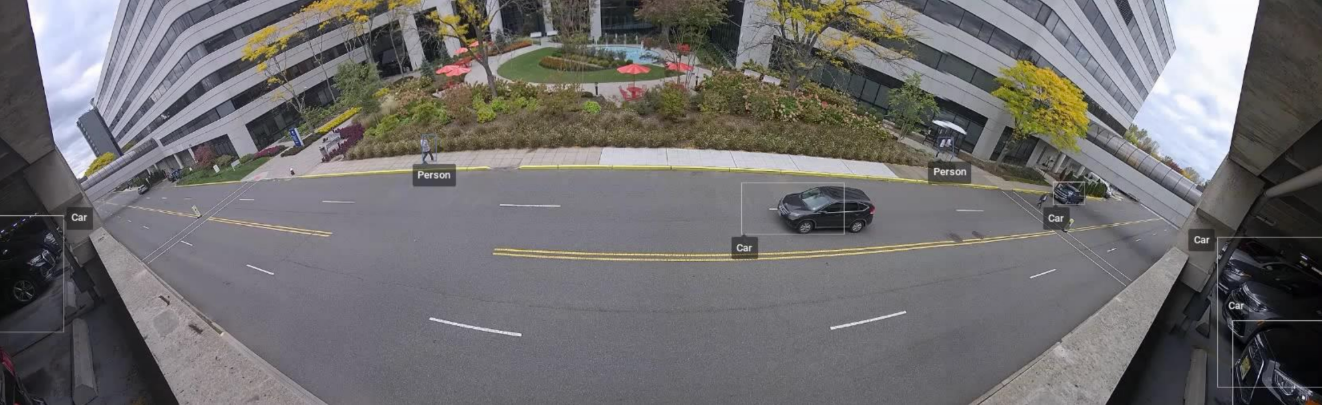
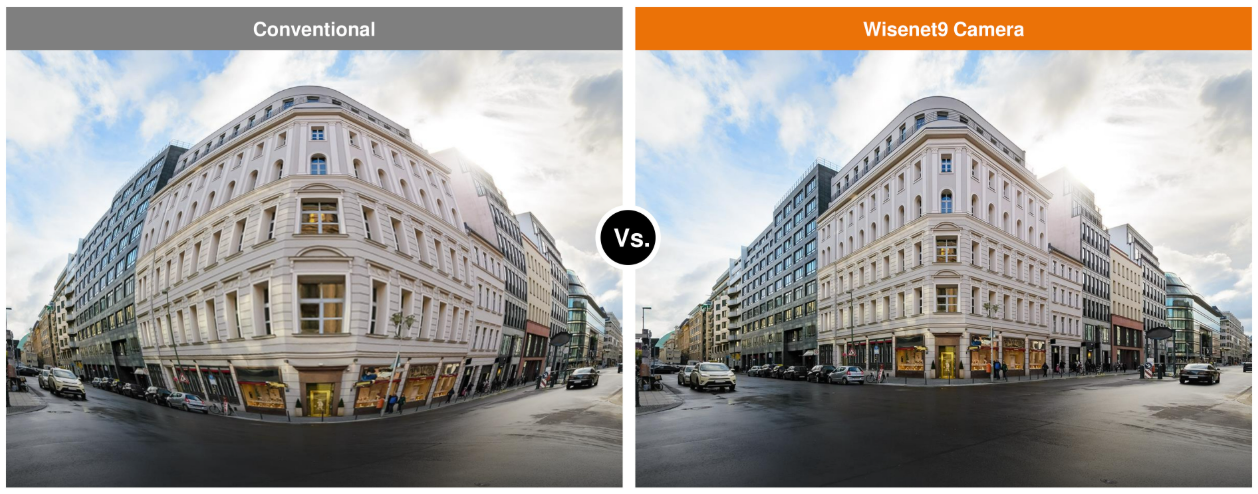
Ultra-wide lenses bend straight lines — door frames curve, faces at the frame edge stretch. Lens Distortion Correction, AI-assisted on current models, digitally flattens the image so it looks closer to what the human eye sees.
Practical upshot: you can use a wide lens for maximum coverage without giving up natural proportions at the edges — lobbies, corridors, and retail floors stay recognizable.
7. Dynamic privacy masking
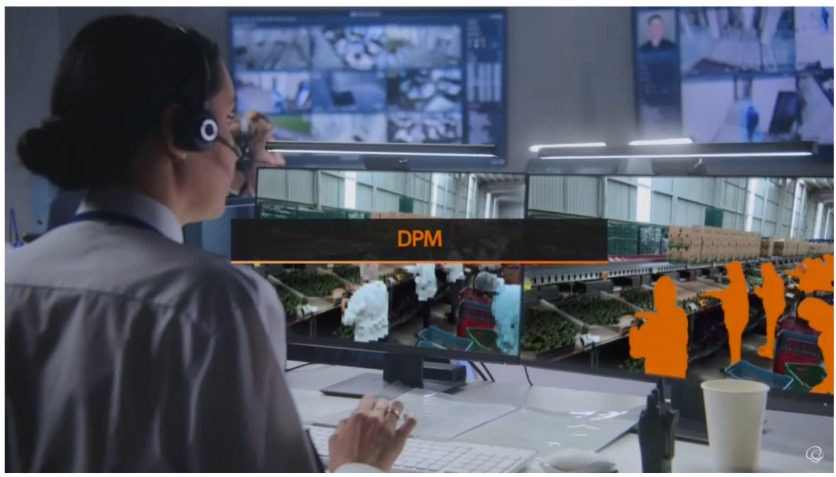
Some of what a camera sees, it shouldn't show: neighboring windows, public sidewalks, passersby. Dynamic privacy masking puts mosaic or colored masks over moving people and vehicles in real time — and the masks follow the subjects as they (and even the camera, on PTZ) move.
Crucially, the original unmasked footage stays secured for authorized investigators — so privacy is protected in day-to-day monitoring without destroying evidence when an incident actually happens. A common requirement for hospitals, schools, and privacy-regulated sites.
8. Hardware features worth knowing
Built to survive outdoors
IP66/IP67 weather sealing, IK10 vandal-resistant domes, and operating ranges down to −40 °F. Sealed cable glands and proper mounts matter as much as the rating — see installation practices.
One-cable installs
Power over Ethernet (PoE/PoE+) delivers power and data on a single cable — no electrician needed at the camera location. Some models add dual-power failover.
Audio & I/O
Two-way audio for talk-down, alarm input/output terminals for gates and sirens, and event actions that use them automatically.
Edge storage
microSD card slots on nearly every model — many with dual slots up to 1 TB on Wisenet 7-class cameras — so recording survives network outages. See edge recording.
WiseStream compression
AI-assisted compression (H.265/H.264/MJPEG) cuts bandwidth and storage dramatically — up to ~75% savings over plain H.264 with WiseStream II, more on WiseStream III.
Security built in
Signed firmware, secure boot, and TPM hardware roots of trust. Details on the cybersecurity section.
9. Decoding a Hanwha model number
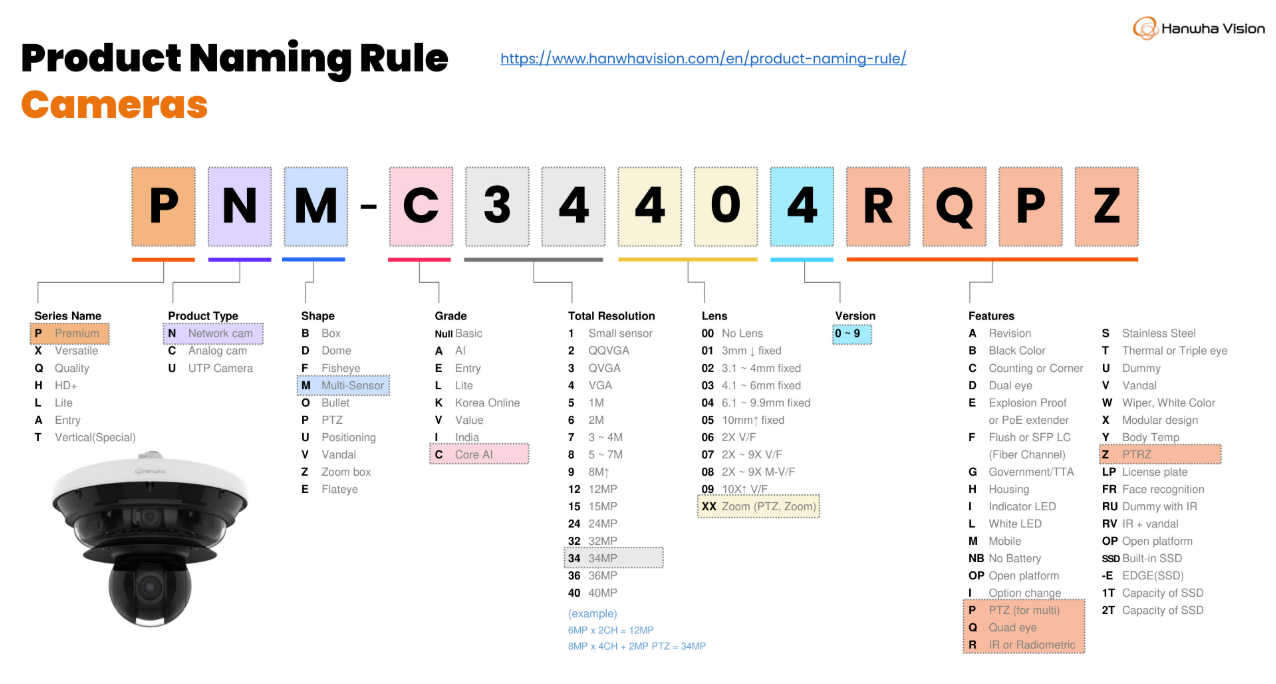
Hanwha model numbers look cryptic but follow a pattern. The first letter is the product family:
- P — Premium performance line
- X — Excellent value line
- Q — quality/entry line · A — entry · T — special/vertical · L — Lite
Then comes the form factor (ND dome, NV vandal dome, NO bullet, NM multi-sensor, NB box), the resolution class, and feature suffixes — R for IR, LP for license plate, Z for motorized zoom, A for deep-learning AI. Example: PNV-A6081R = Premium vandal dome, AI, IR.
Hanwha publishes the official interactive decoder on its Product Naming Rules page (Camera and Recorder tabs on one page); we're happy to walk you through any specific model.
10. Installation best practices
The best camera installed badly is a bad camera. Hanwha's installation guidance, which we follow on every job, boils down to:
- Mount height & angle: high enough to avoid tampering, low/angled enough to actually capture faces — not just hats
- Mind the light: never point into the sun, bright signs, or vehicle headlights — backlight is the #1 image killer (see WDR)
- IR discipline: keep IR illumination clear of close obstructions; a wall or eave too near the lens washes the whole frame with reflected IR
- Weatherproofing: sealed entries, drip loops, and rated mounts — water in the cable path kills cameras slowly
- Environment: avoid mounting where vibration, extreme heat vents, or spray directly hit the housing
- Plan the view: walk the field of view before final tightening — check what the lens really sees day and night
The installation simulator lets us preview coverage and angles before a single hole is drilled.