1. Give your most important cameras the most retention
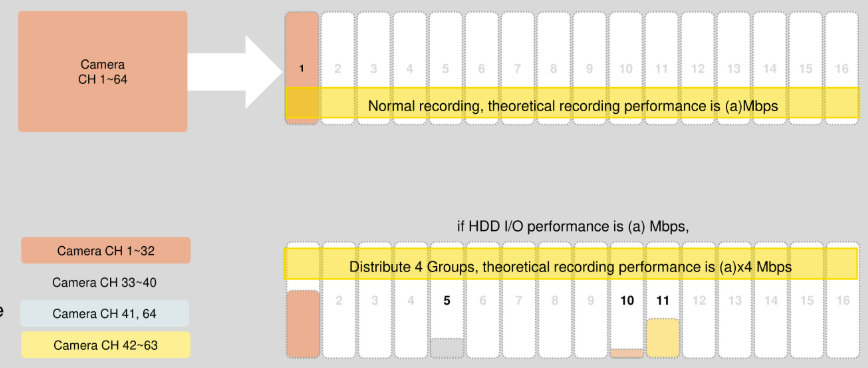
Not every camera matters equally. The cash-office camera may need 90 days of history; the break-room camera might only need two weeks. Hanwha recorders let you allocate recording storage by channel importance — giving critical cameras a larger share of the disks so their recordings survive longer before being overwritten.
The same design spreads the recording load across multiple hard disks, which prevents disk bottlenecks, keeps write bandwidth healthy, and keeps the whole system smooth even at high channel counts.
Sizing this properly before purchase is exactly what the WAVE System Calculator & DesignPro are for.
2. RAID vs non-RAID: what a dead disk costs you
Every hard disk eventually fails — the question is what happens to your recordings when it does.
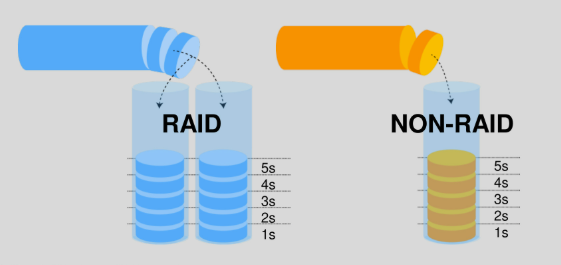
- Non-RAID: maximum capacity for the money — every terabyte you buy stores video. If a disk fails, you lose what was on it until it's replaced, and recordings written elsewhere continue.
- RAID (5/6 on Hanwha's high-end NVRs): some capacity is spent on parity, so a failed disk doesn't interrupt recording — you swap the drive and the system rebuilds, without losing the footage window.
Practical guidance: non-RAID is fine for smaller budgets and lower-risk sites; RAID is the right call when uninterrupted evidence matters — multi-tenant properties, high-liability sites, and any compliance-driven deployment. High-end models like the 32-channel PRN-3200B4 support RAID 5 & 6 with up to 16 bays. See the NVR lineup.
3. Dual-stream recording
Every Hanwha camera produces two streams: a main stream (full quality — what gets recorded) and a sub stream (lightweight — what remote viewers watch). Recording the main stream while people view the sub stream keeps the network and recorder fast even with many simultaneous viewers, and it's how remote monitoring stays responsive on modest connections. In WAVE, this behavior is configurable per camera, and GPU decoding takes it further on workstations.
4. Edge recording: a backup recorder inside every camera
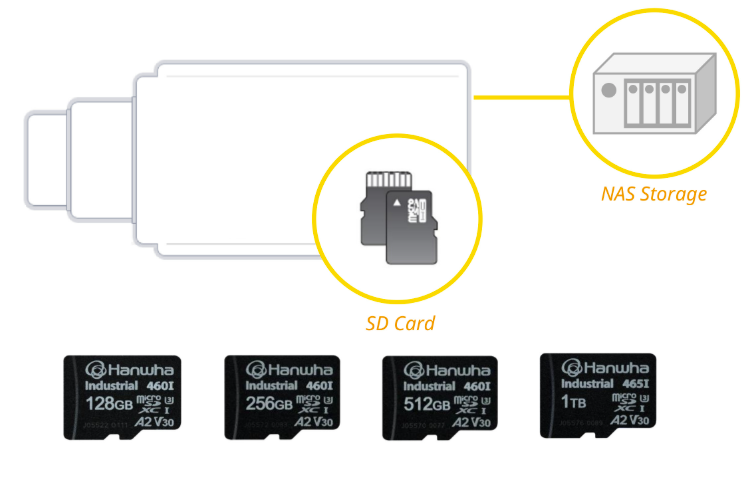
Nearly every Hanwha camera accepts a microSD card — many support dual slots up to 1 TB. The camera can keep recording to its own card in addition to the recorder: a private, local safety copy.
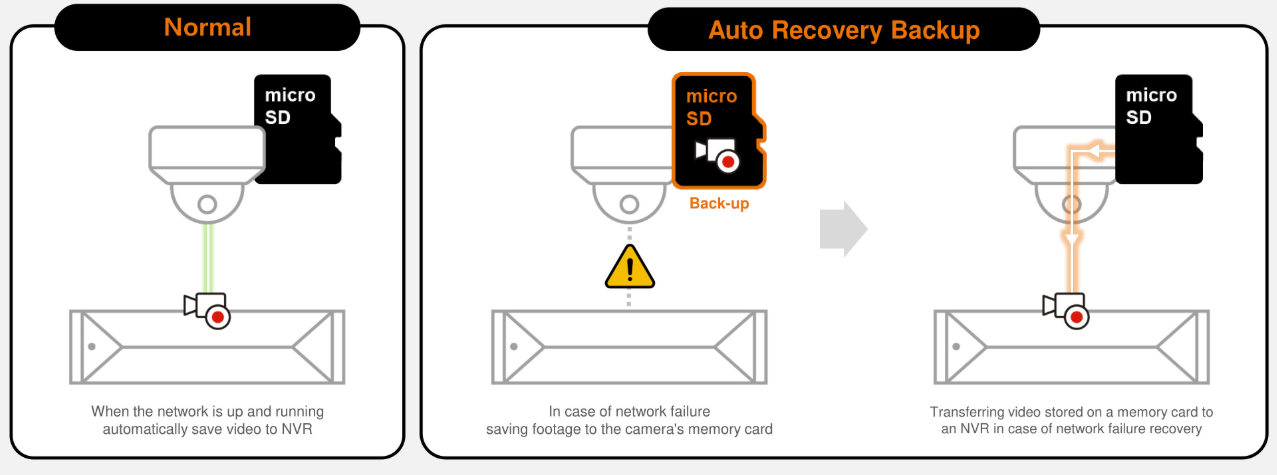
More importantly, edge storage enables failover recording: if the network or the recorder goes down, the camera keeps capturing locally instead of going blind. When the link comes back, the footage is there — and with ARB, it flows back to the recorder automatically.
Edge recording is standard practice on our mobile trailer deployments, where connectivity is cellular and never perfect.
5. ARB — Automatic Recording Backup
ARB (Automatic Recovery Backup) is the piece that turns edge storage from "nice" into "bulletproof":
- While the camera can't reach the recorder, it saves the video to its own SD card.
- The moment the network recovers, the camera automatically transfers the buffered recordings to the NVR.
- The recorder's timeline fills in the gap — your evidence window is complete, not patched.
No operator intervention, no manual SD pull-and-copy, no lost hours. Supported on Hanwha AI NVRs (for example the PRN-3200B4); we configure it on any deployment where the network isn't trusted.
6. SolidEDGE: the recorder that is a camera
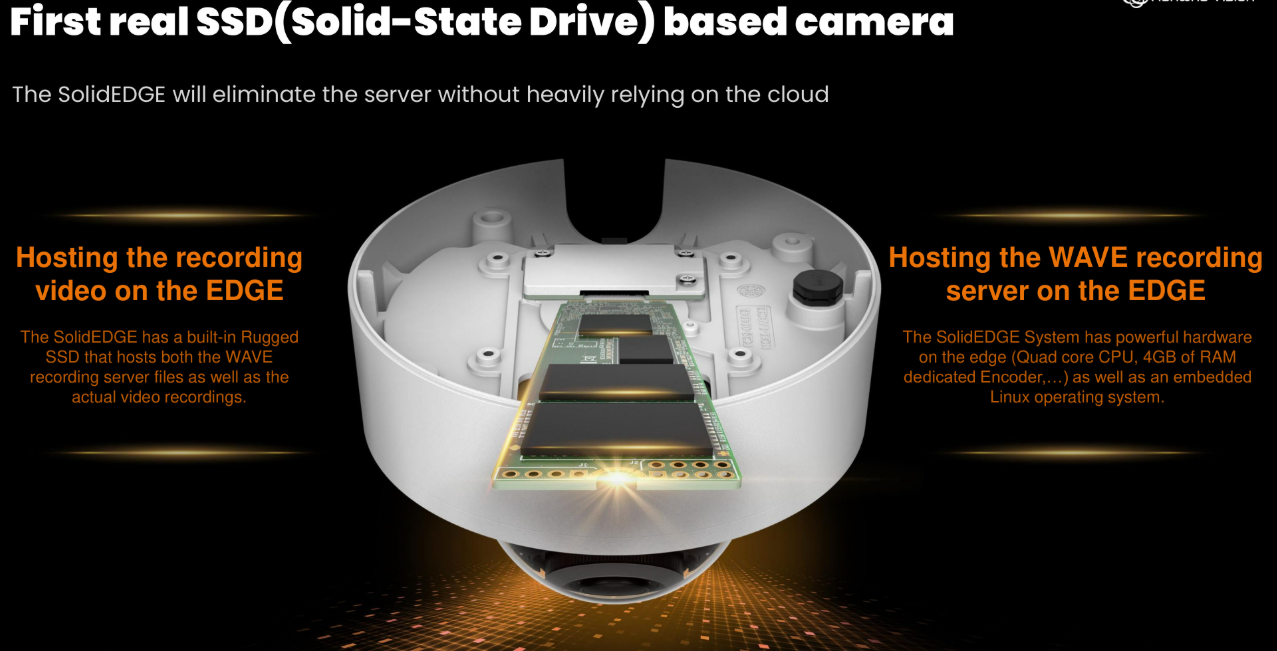
SolidEDGE (PNV-A6081R-E, in 1 TB and 2 TB variants) is the first true SSD-based security camera: an AI vandal dome with a built-in solid state drive and Wisenet WAVE VMS pre-loaded — a complete, server-less VMS.
It records itself plus up to five additional cameras (six total, 32 Mbps aggregate), includes a WAVE Professional channel license, and is managed remotely through WAVE Sync — no on-site server, no NVR, no rack.
Perfect fit: small retail, branch offices, gates, and temporary sites that need real AI analytics and multi-camera recording without infrastructure. Security credentials included: TPM, FIPS 140-2 Level 2, secure boot, and firmware-forgery verification.
7. Bookmarks: protecting the clips that matter
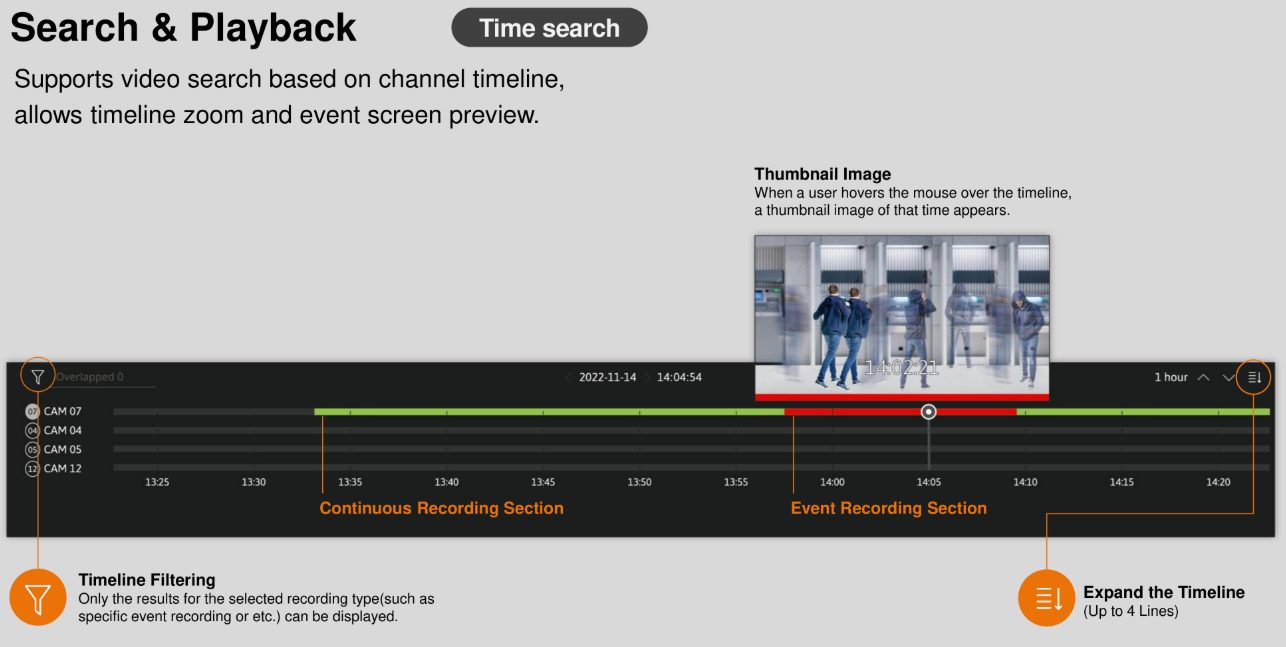
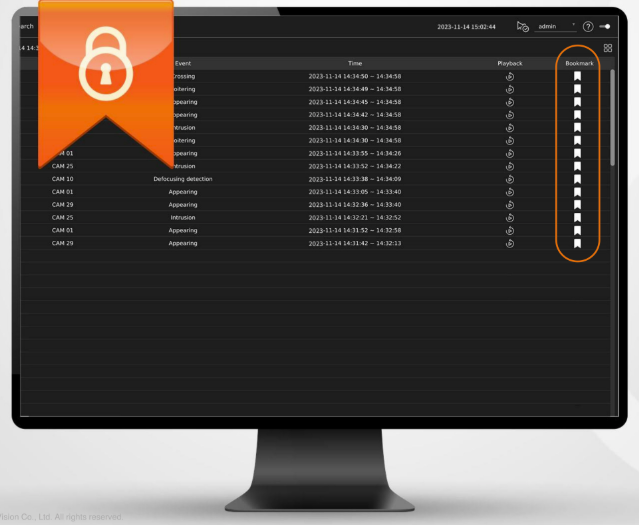
Recorders recycle old footage as disks fill — that's by design. But incidents and important events shouldn't vanish with them. Bookmarking a video protects it from being overwritten and deleted: flagged clips are kept out of the normal recycling path until you release them. Investigators, insurers, and HR teams all end up grateful for this one small habit. See also search & playback for finding the right moment fast.
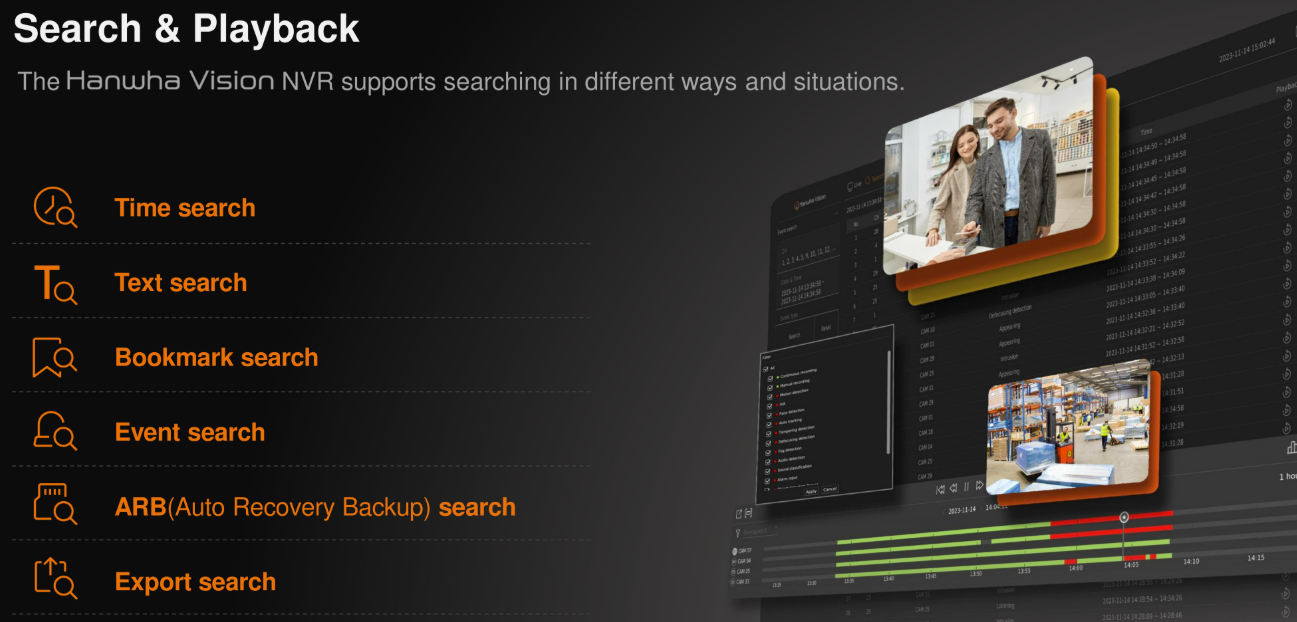
8. Finding the moment: search & playback
Stored video is only useful if you can find the right seconds quickly. Hanwha clients give you:
- Event-first navigation — a timeline marked with detections, so you jump between events instead of scrubbing
- Thumbnail preview of each event before you open it
- Smart Motion Search — outline a region and find every motion event inside it, retroactively
- AI object search — filter by person/vehicle, attributes, and plates
Exports include a bundled player, so evidence files play anywhere without special software.