1. WAVE Sync: remote access without touching the router
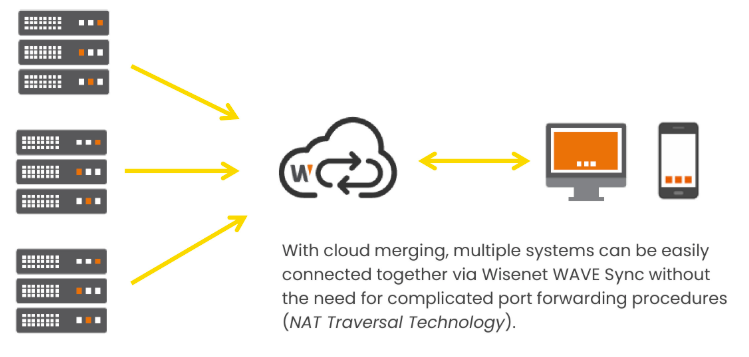
Historically, remote camera access meant port-forwarding holes in your firewall — a chore and a risk. WAVE Sync is Hanwha's built-in remote-access service that removes both:
- No port forwarding, no static IP, no router changes — the system connects out through the internet
- Encrypted client-to-system connections over TLS
- Single sign-on across systems — one login moves between your merged sites
- Invites by email — share access with a new user in one step
It's how owners watch their business from anywhere, how we monitor trailers from anywhere, and how new clients connect without an IT project.
2. Setting up WAVE Sync (it's four steps)
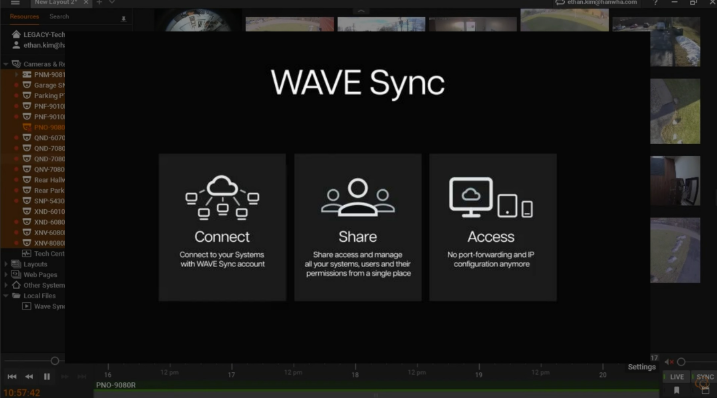
- Enable it in the system settings and copy the System ID
- In the client, choose "connect via WAVE Sync" and paste the System ID
- Authorize the connection request on the system
- Done — the client is connected from anywhere
Typical total time: a few minutes, start to finish, with no network changes on either side.
3. User management & roles
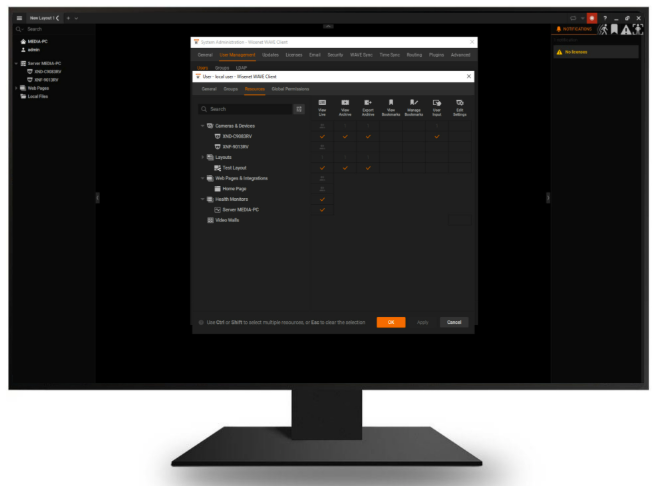
WAVE access control is role-based with granular, per-resource permissions:
- Standard roles — Owner, Administrators, Advanced viewers, Viewers — or fully custom roles
- Per-camera, per-layout, per-server permissions — a guard can see Building A but not executive offices
- Specific rights — control who may export video, control PTZ, view archives, or manage the system
- Notifications routing — events go to the people responsible, not everyone
WAVE 6.1's redesigned user management makes this faster to configure — and directory integration below means your IT team manages access in the same place they manage everything else.
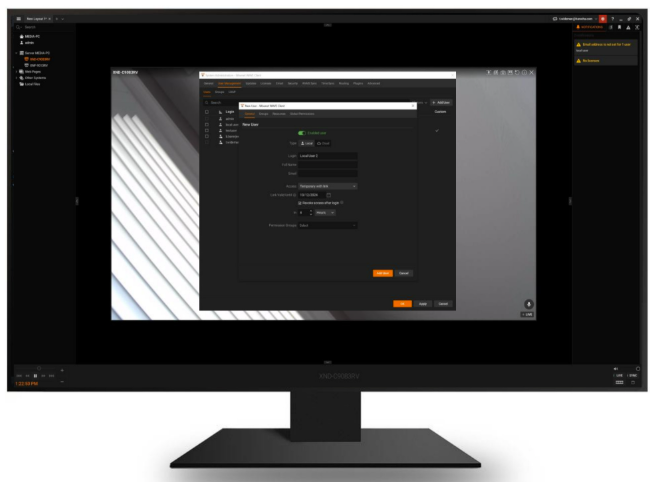
4. Temporary users: access that cleans up after itself
Contractors, event staff, and short-term covering shifts all need camera access — and all of them eventually should lose it. With WAVE temporary users, you issue expiring share links: access is granted with a set end time and revokes itself automatically.
No "remember to disable the account on Friday" chores, no orphaned logins six months later. The link simply stops working at its expiry — the account can't be reused and doesn't linger in the system.
Pair with role restrictions so temporary viewers only see what they need.
5. LDAP / Active Directory integration
In organizations that run a directory — Active Directory, OpenLDAP, JumpCloud — WAVE connects to it directly:
- Import users and groups from the directory — no duplicate account creation
- Group-to-role mapping — "Security Ops" group automatically gets the operator role
- Scheduled sync — directory changes (new hires, departures, group moves) flow into WAVE on an interval
- memberOf filtering — control exactly which directory groups WAVE pulls
IT keeps one source of truth; the VMS follows it. Departed employees lose access when IT disables the directory account — not when someone remembers to.
6. Cloud accounts & single sign-on
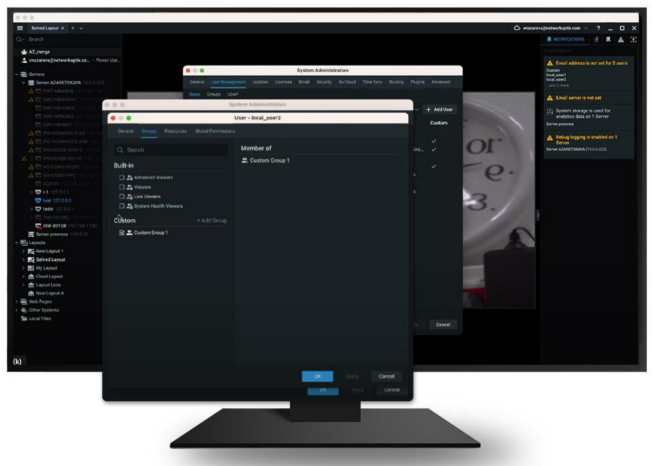
WAVE offers two account models: local users (created in the system) and cloud users (a WAVE cloud account). Cloud users bring practical benefits:
- One identity across systems — sign in to any of your merged sites with the same account
- Password self-service handled by the cloud account
- Easier access sharing — email invites for new users
- Cloud portal management — view and merge systems from anywhere
Need corporate SSO federation (Entra ID / Okta SAML-style)? That's a project we scope per environment — for most deployments, cloud accounts + LDAP cover the requirement without extra infrastructure.
Access model cheat sheet
- Local user — created in WAVE, password in WAVE
- Cloud user — one login across your sites
- LDAP user — managed by your corporate directory
- Temporary link — auto-expiring access