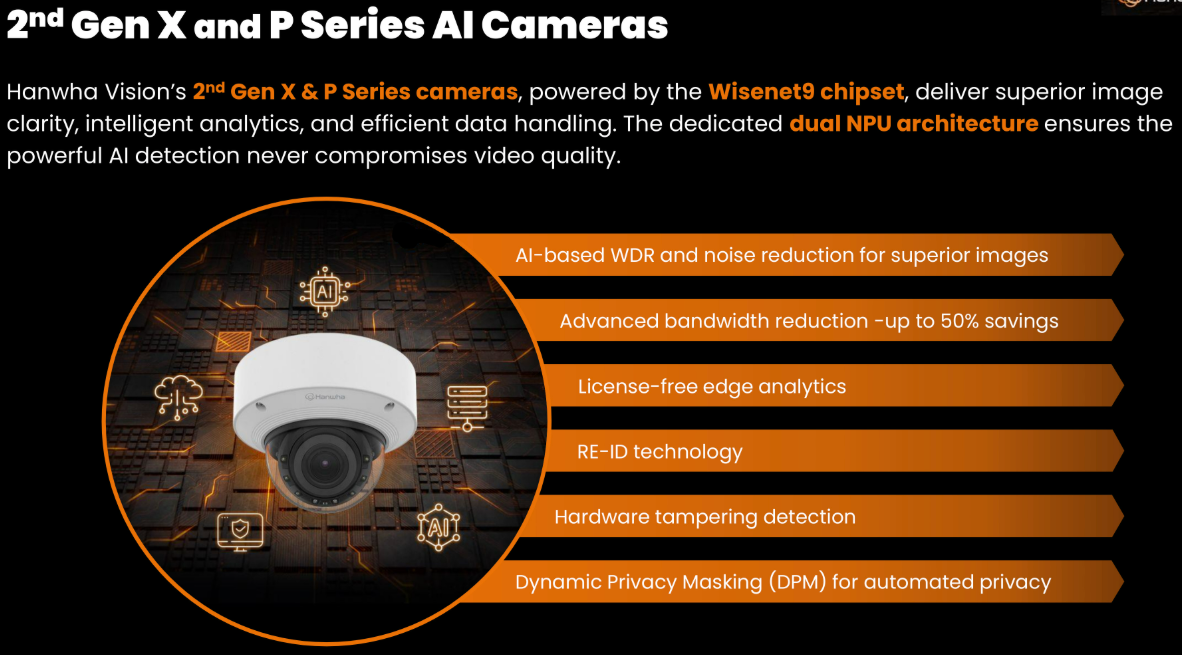
1. The dual-NPU engine: AI without slowing the video
Inside Hanwha's current-generation cameras (Wisenet 9 SoC) are two independent neural processing units. One NPU is dedicated to making the image as good as possible — exposure, noise reduction, shutter speed. The other NPU is dedicated to analytics — spotting and classifying objects. Because they work in parallel, running heavy AI analytics never degrades your video quality, and improving video quality never pauses your analytics.
Why it matters to you: many "AI" cameras share one processor between the picture and the analytics, which means frame drops or laggy detection exactly when it matters. Hanwha's split design keeps both at full speed — the camera stays sharp and stays smart.
2. What the camera actually detects
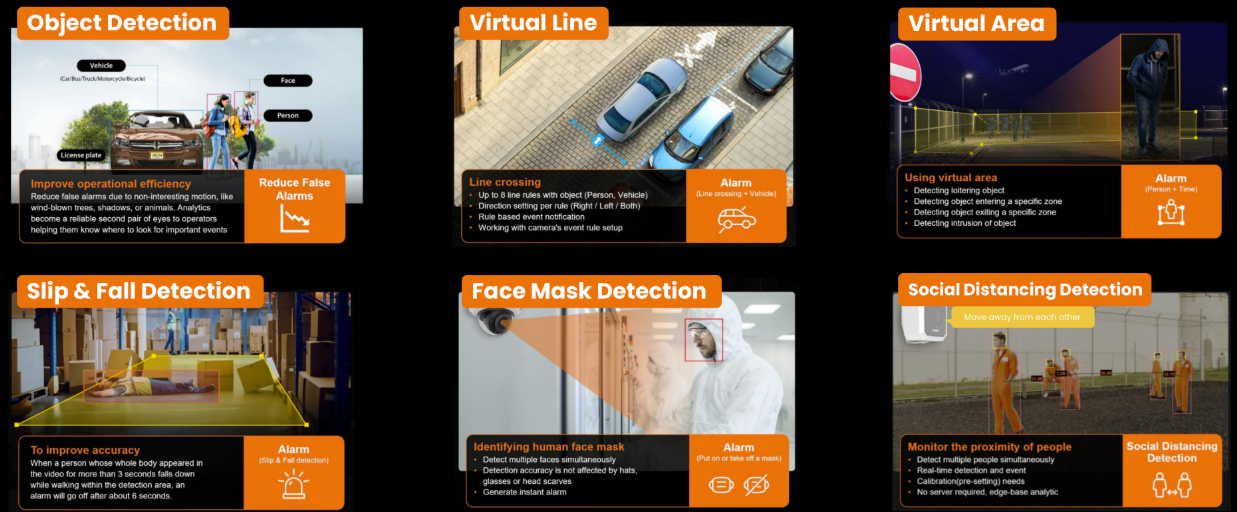
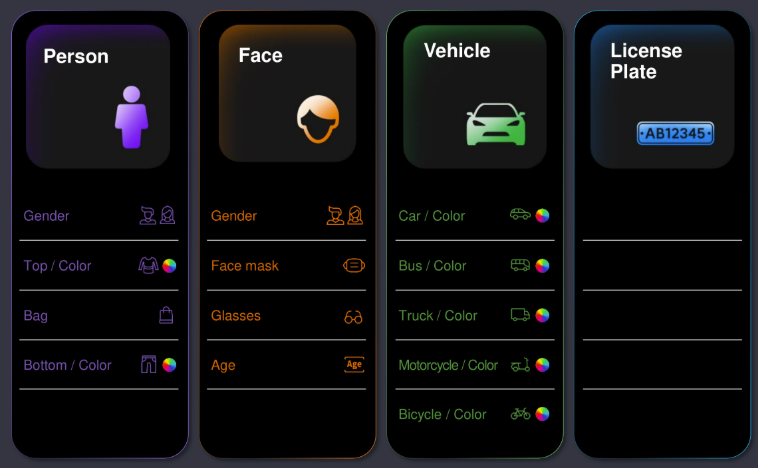
The AI engine classifies objects in real time — people, faces, vehicles, and license plates — including vehicle subtypes: car, bus, truck, motorcycle, and bicycle.
For every detection it also extracts attributes — searchable facts about the object:
- People: top and bottom clothing color, bag, face mask
- Vehicles: type, color, and license plate information
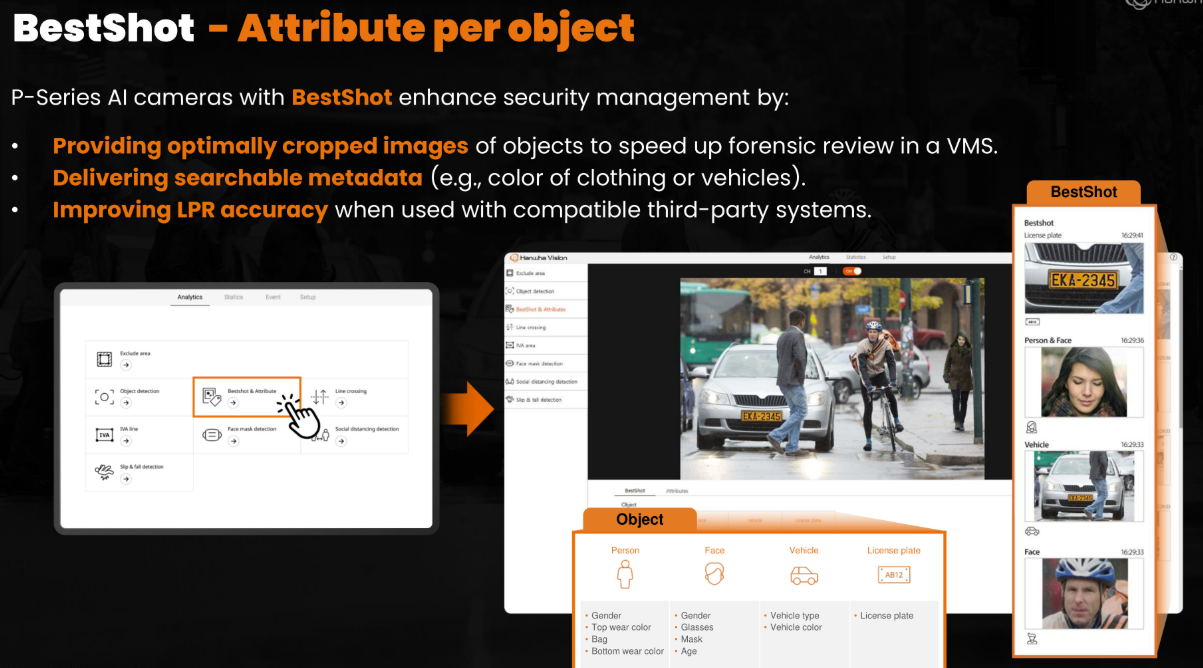
- All of it becomes searchable metadata delivered to your VMS or recorder
That metadata is what turns hours of video into seconds of searching — jump to searching AI events or see the WAVE search features.
3. BestShot: the best frame of every event
When the camera spots a person or vehicle, it doesn't just log "object detected at 2:14 pm." It evaluates multiple frames, picks the clearest, most representative moment, and crops a tight image around the object — a BestShot.
Each BestShot travels with its attributes (type, colors, plate) to your recorder or VMS. In review, those cropped thumbnails act as visual shortcuts — you click the person you're looking for and jump straight to that moment, instead of scrubbing hours of footage.
See it in the search & playback guide.
4. Why AI alerts are worth trusting
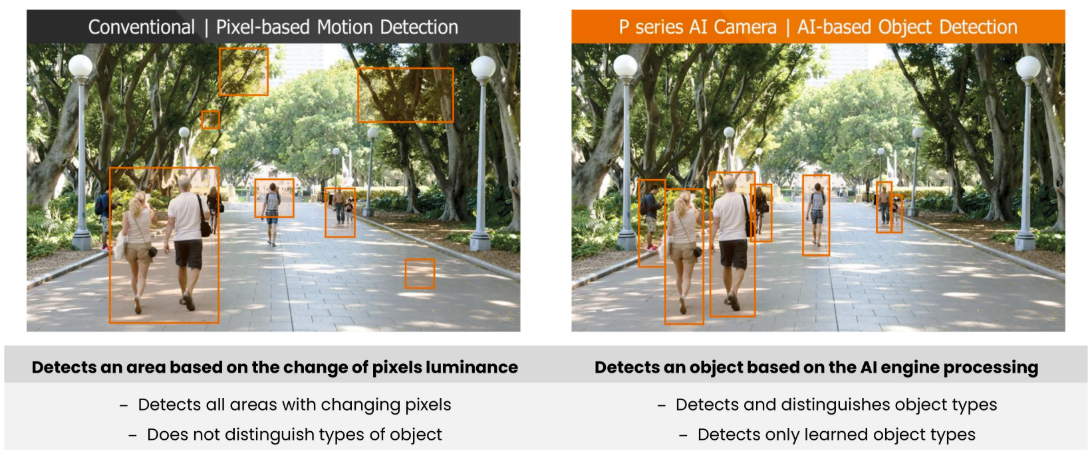
Traditional "motion detection" watches for pixel changes. Rain, blowing leaves, headlights, and shifting shadows all trip it — so operators learn to ignore the alerts.
Hanwha's AI-based detection only alerts when it actually identifies a person or vehicle crossing a line or entering a zone. Shadows, reflections, and random motion are ignored by design.
The practical difference: your monitoring team stops tuning alerts out — which means when an alarm arrives, someone actually looks.
5. Event rules the camera can watch for
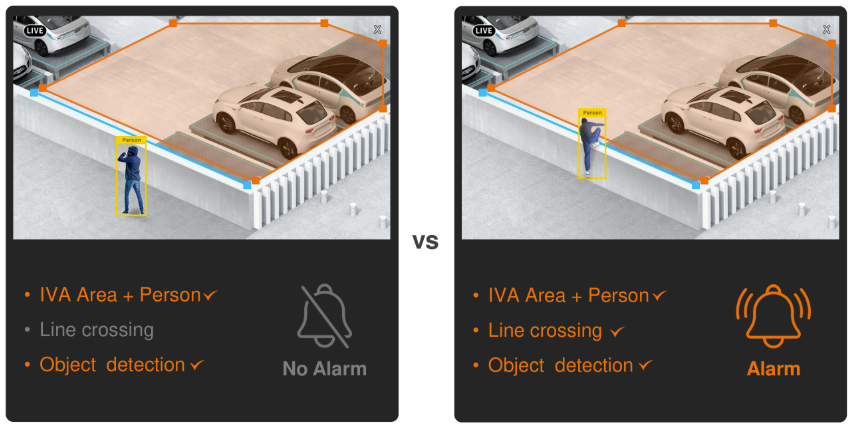
These rules run inside the camera — no extra server needed. Each one can trigger notifications, recordings, or actions. See Integrations & automation for the full trigger → action list.
Line crossing
Alert when a person or vehicle crosses a virtual line — fences, doors, property edges.
Enter / exit area
Know the moment something enters or leaves a defined zone.
Intrusion & loitering
Flag stationary people in restricted areas, or anyone lingering too long.
Directional detection
Only alert on traffic moving a specific way — e.g., leaving the property.
Appearance / disappearance
Detect objects appearing or vanishing in a zone — useful for abandoned item checks.
Camera health rules
Defocus detection, tampering, and shock detection tell you when the camera itself is compromised.
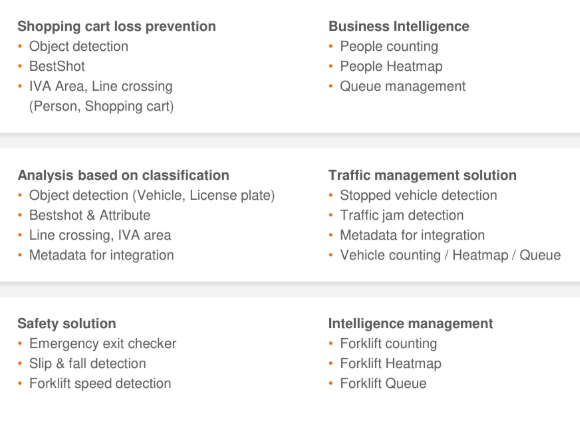
On the newest Wisenet 9 cameras, behavioral rules go further — tailgating, blocked exits, stopped-vehicle detection, crowd density, and slip & fall detection for safety response.
6. Sound analytics: hearing what video misses
Some incidents announce themselves before they appear on camera — a scream, breaking glass, shouting. Hanwha's AI sound classification identifies those critical sounds even in noisy environments, entirely at the camera's edge.
With multiple microphones, TDoA direction finding (time-difference-of-arrival) can even tell you where the sound came from. For privacy-sensitive spaces where no camera is wanted, the standalone Audio Beacon microphone provides the same audio detection without video.
Where this shines: stairwells, alleys, restrooms-adjacent corridors, and after-hours perimeters — places where a noise is often the first signal of trouble.
7. Business intelligence, not just security
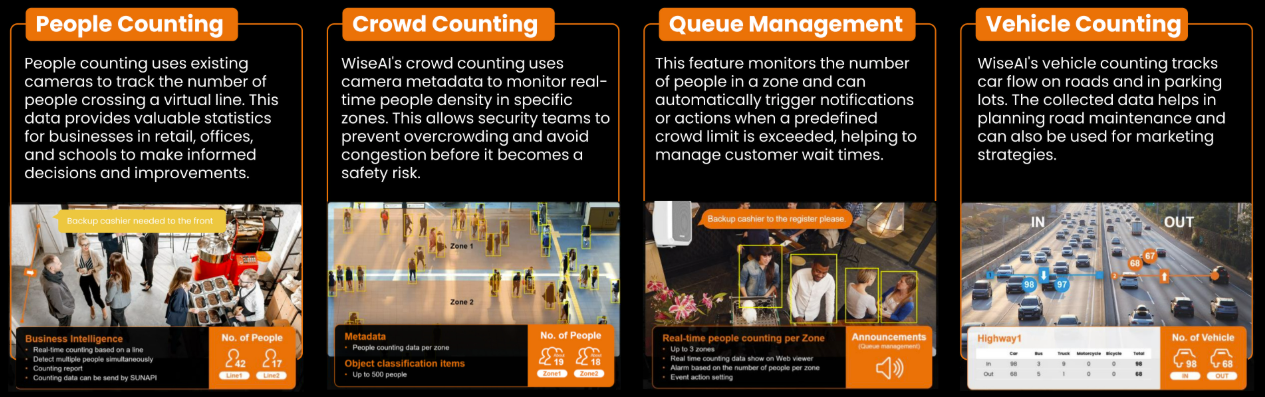
The same AI that counts intruders can count customers. Hanwha cameras generate operational analytics as metadata you can feed into dashboards:
- People counting — real-time counts over a virtual line, with automated reports
- Queue management — monitors up to 3 queue zones with per-zone threshold alarms
- Crowd density — accurate to ~500 people per zone, for early overcrowding warnings
- Heatmaps & vehicle counting — where people walk, and traffic flow by vehicle class
Visualize it in the cloud with SightMind, or pipe it out via MQTT.
8. Adding AI to cameras you already own
You don't have to replace every camera to get AI. Three upgrade paths exist:
- AI NVR add-on applications — a compatible AI recorder runs the analytics on ordinary camera streams, so existing cameras gain object detection, attributes, and even LPR. The camera sends plain video; the recorder does the thinking.
- On-camera AI apps (WisenetAI) — licensed apps installed on the camera itself, such as Road AI (traffic analytics + plate reads), Low-Speed LPR (for parking lots, drive-thrus and gates up to 35 mph), and Face Mask Detection. WisenetAI is licensed per optic: single-lens, dual-lens, multi-sensor, panoramic, or SolidEDGE.
- AI Box — an edge AI appliance that adds AI analytics to whole clusters of existing streams, NVIDIA Jetson-ready for custom deployments.
Which path fits depends on your camera fleet and recorder — see the NVR page or just ask us and we'll map it out.
9. Now search it all
Everything above — object types, attributes, BestShots, plates — lands in your VMS as searchable data. In Wisenet WAVE you can filter by object type and attribute (color, vehicle type, speed), browse a gallery of detections, and jump from a thumbnail straight to the recording.
For vehicles specifically, see License Plate Recognition — plates are stored as both an image and text you can type into a search box.
Next step:
WAVE AI search →