Powered by Hanwha Vision

Hanwha Vision Technology, Explained

The cameras, recorders, and video software inside TCA Security trailers and fixed-site systems are built on Hanwha Vision technology. This guide walks you through what that means for you — in plain English, one topic at a time.

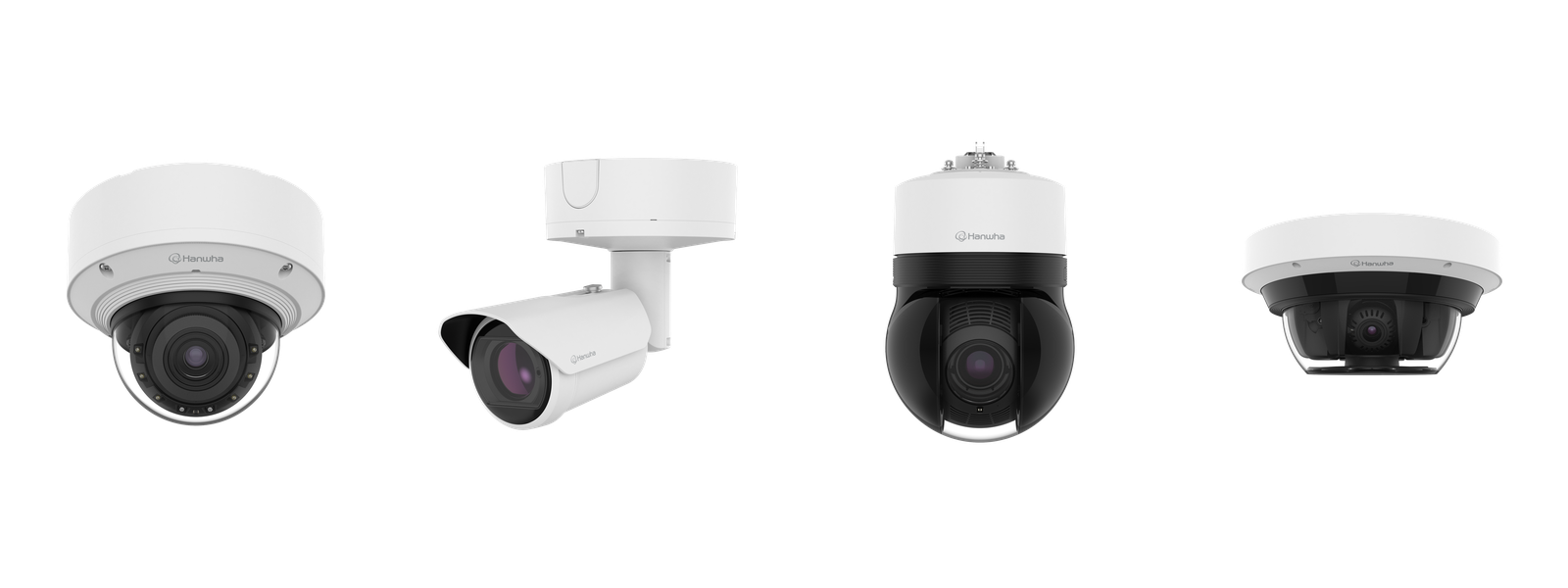
Hanwha Vision security camera lineup including dome, bullet, PTZ and multi-sensor cameras

Where would you like to start?

Every page below is self-contained with its own table of contents and links back here, so you can jump around freely. New to security cameras? Start with Cameras, then follow the links.

AI Analytics

How Hanwha cameras tell people from vehicles from shadows — and why that means fewer false alarms and faster investigations. Object attributes, BestShot, search, and more.

Learn about AI →

Cameras

Dome, bullet, PTZ, multi-sensor, and thermal — what each type does, how to choose a focal length, and the image-quality tech (WDR, AI noise reduction) that makes footage usable.

Explore cameras →

License Plate Recognition

Read plates at highway speed or gate speed, store them as searchable text, and find any vehicle in seconds. Includes our live trailer demo.

See LPR in action →

Recording & Storage

RAID vs non-RAID, giving critical cameras more retention, edge recording on SD cards, and Automatic Recording Backup when the network drops.

Protect your footage →

NVRs & Appliances

Choosing the right recorder, decoding model numbers, signed firmware and cybersecurity, and turnkey WAVE appliances.

Compare recorders →

Wisenet WAVE VMS

The software that ties it all together: live view, search, mobile apps, video walls, remote access without port forwarding, and enterprise-grade user controls.

Tour the VMS →

Integrations & Automation

Event triggers and actions, MQTT for smart automation, ONVIF compatibility, and point-of-sale text matched to video.

Connect everything →

Cloud & Tools

Free design and sizing tools, cloud dashboards, health monitoring, and the full Wisenet software suite.

Meet the toolkit →

Why Hanwha?

NDAA compliance, signed firmware, and a 20-year chipset track record — the short answer to a common question.

Read below ↓

Why we deploy Hanwha Vision

True AI at the edge

Hanwha's dual-NPU cameras analyze video inside the camera itself — detecting people, vehicles, and attributes in real time — so alerts are accurate and the recorder isn't overwhelmed. See AI Analytics.

Serious cybersecurity

Signed firmware, secure boot, TPM chips, and a dedicated CERT team. Hanwha publishes an SBOM and is a CVE Numbering Authority. Details on the NVR & security page.

NDAA-compliant & open

NDAA-compliant lines for government work, plus ONVIF conformance (Profiles G, M, S, T) so cameras work with third-party systems — no lock-in. More in Integrations.

The Wisenet software suite

Hanwha cameras and recorders are backed by a family of apps and tools. These are the eight you'll actually use — each one links to where it fits in this guide.

Wisenet WAVE

Professional video management (VMS) for live view, search, and multi-site monitoring. Wave guide →

WAVE Mobile & Wisenet Mobile

Phone apps for live view, push alerts, and playback — Wave for full systems, Wisenet Mobile for direct camera/NVR access. Compare →

Wisenet Viewer

Free desktop client that connects to multiple NVRs and Wave servers at once. Details →

BLAZE

Hybrid AI VMS with cloud federation and semantic search on embedded appliances. Read more →

DesignPro & System Calculator

Plan storage, bandwidth, and camera placement before you buy. Plan a system →

ConfigPro

Bulk-configure and update firmware across an entire camera fleet. See tools →

OnCloud, SightMind & HealthPro

Cloud-connected VMS, AI analytics dashboards, and device health monitoring. Cloud suite →

WisenetAI & AI apps

On-camera AI applications — LPR, traffic analytics, face mask detection and more. AI add-ons →
A full breakdown of every app lives on the Cloud & Tools page.