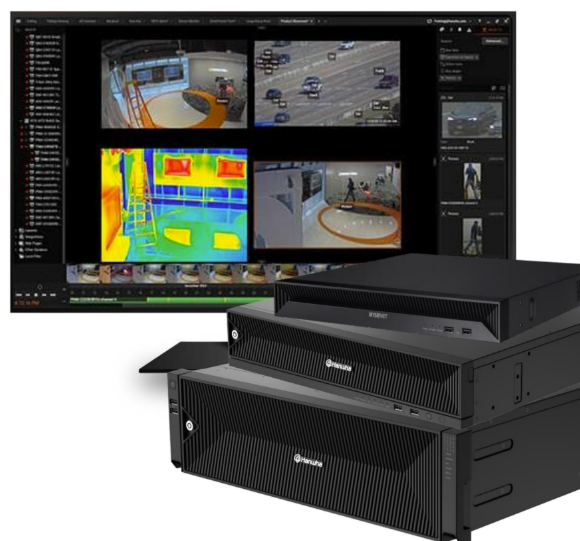
1. AI object search
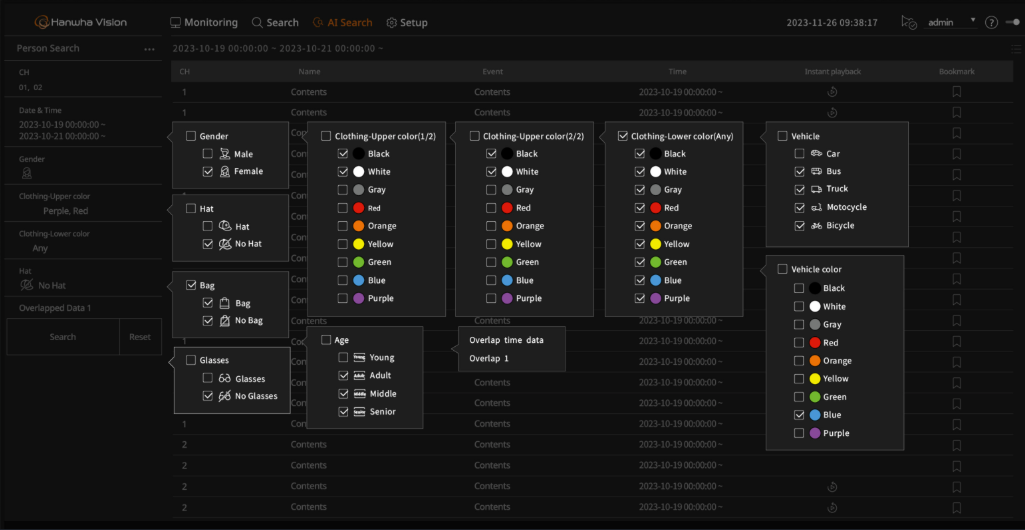
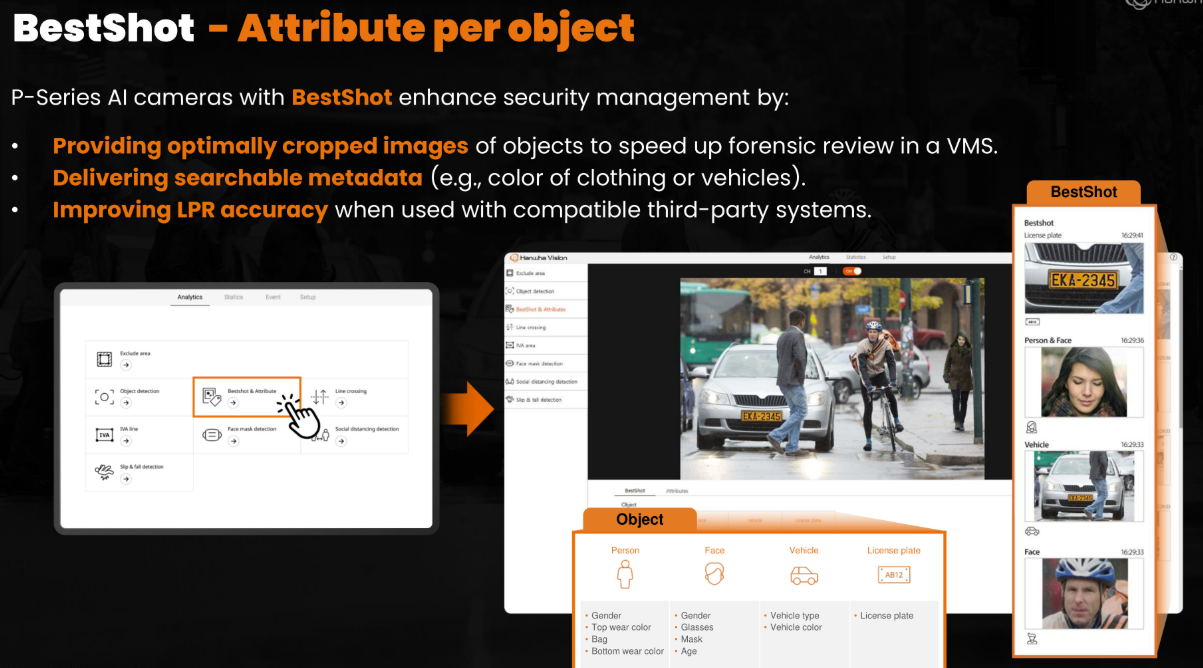
When Hanwha AI cameras feed WAVE, every detected object arrives as searchable metadata — object type plus attributes (see what the camera extracts). WAVE's objects tab and advanced search then let you:
- Filter by object type — person, vehicle, bicycle…
- Filter by attributes — clothing color, vehicle type, vehicle color, speed
- Browse a thumbnail gallery of detections in a time window (each a BestShot)
- Click a result to jump straight to the recording at that moment
No metadata from AI cameras? The client still includes Smart Motion Search — outline a region on recorded video and replay every motion event inside it.
2. License plate search
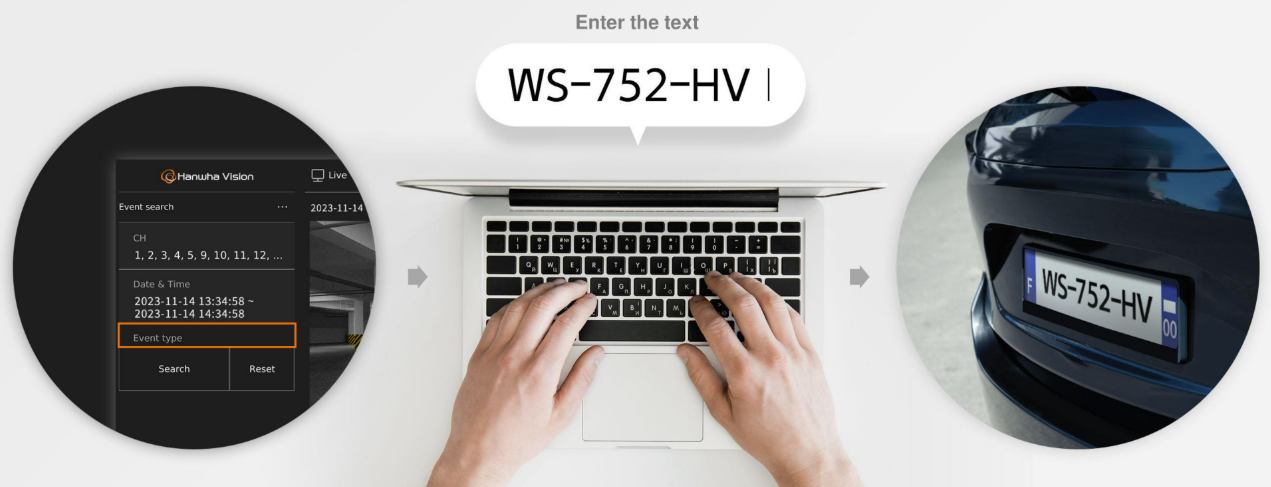
With LPR cameras feeding the system, every vehicle is a record: the plate image plus the plate text from the analysis function. In WAVE, finding a vehicle is a text search — type part of a plate, get matching events with snapshots and video.
Full setup details, camera models, and speed classes are on the License Plate Recognition page.
3. Camera linking: hotspots & teleport
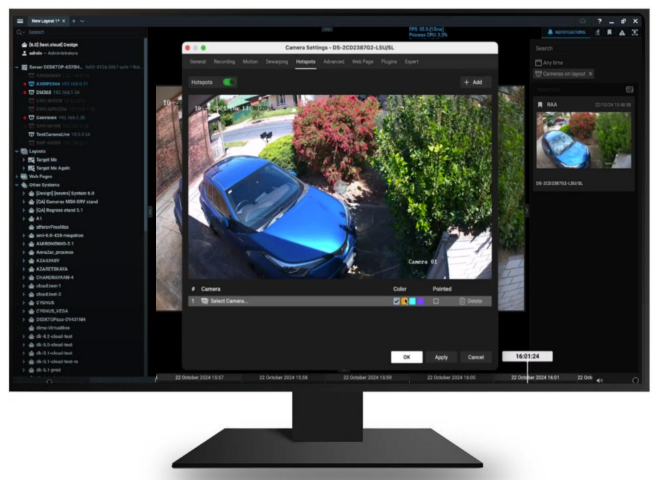
WAVE lets you link cameras together in the layout. Draw a hotspot region on one camera — say, the gate on a wide panoramic view — and clicking it "teleports" the view to the camera that watches that spot. Operators navigate a whole property from one wide image, zooming into detail views with one click.
It's the software-side version of a fixed-camera-to-PTZ workflow: wide awareness on the wall, detail a click away. (Automatic hardware PTZ follow — where the PTZ physically steers itself to a fixed camera's detection — is a camera/pairing feature; see multi-sensor + PTZ teamwork and camera-side tracking analytics.)
4. Soft triggers: operator buttons that do real things
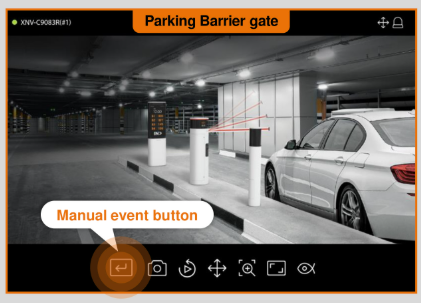
A soft trigger (manual event button) is a button in the WAVE client that fires a configured action when an operator clicks it. Actions can include camera outputs, alarm triggers, HTTP calls to third-party systems, and more.
The classic example: a button on the parking-lot layout that remotely opens the barrier gate while the operator watches the car on live video. No separate gate app, no radio call — the video window is the control panel.
Triggers combine with the full event engine — triggers & actions — and with NVR features via WAVE for recording actions.
5. Managing NVR features from WAVE
Hanwha appliance NVRs — and other supported recorders — don't sit beside WAVE; they're managed inside it. From the WAVE client you can:
- Control recorder settings — recording schedules and archive configuration without leaving the VMS
- Reach NVR archives — multiple archive connections per channel for playback of recorder-stored video
- See NVR events in the same event stream as everything else
- Monitor recorder health — disk status and telemetry alongside cameras
One console for the whole system — the operator never learns "NVR menus" at all. Recorders are covered in depth on the NVRs & appliances page.