
Business Routers & Network Installation Products
These are the routers and gateways we most often install for Tucson businesses during a network installation. Each one is chosen for a reason (ease of management, advanced configuration, cellular failover, or ruggedness), and every device below is explained so you can understand not just the features but the benefits behind them.
Not sure which fits your site? See our low-voltage and networking services or call 520-301-4144.
Jump to a product
Ubiquiti UniFi Dream Machine (UDM)
All-in-one gateway, controller, and switch for easy, remotely managed networks
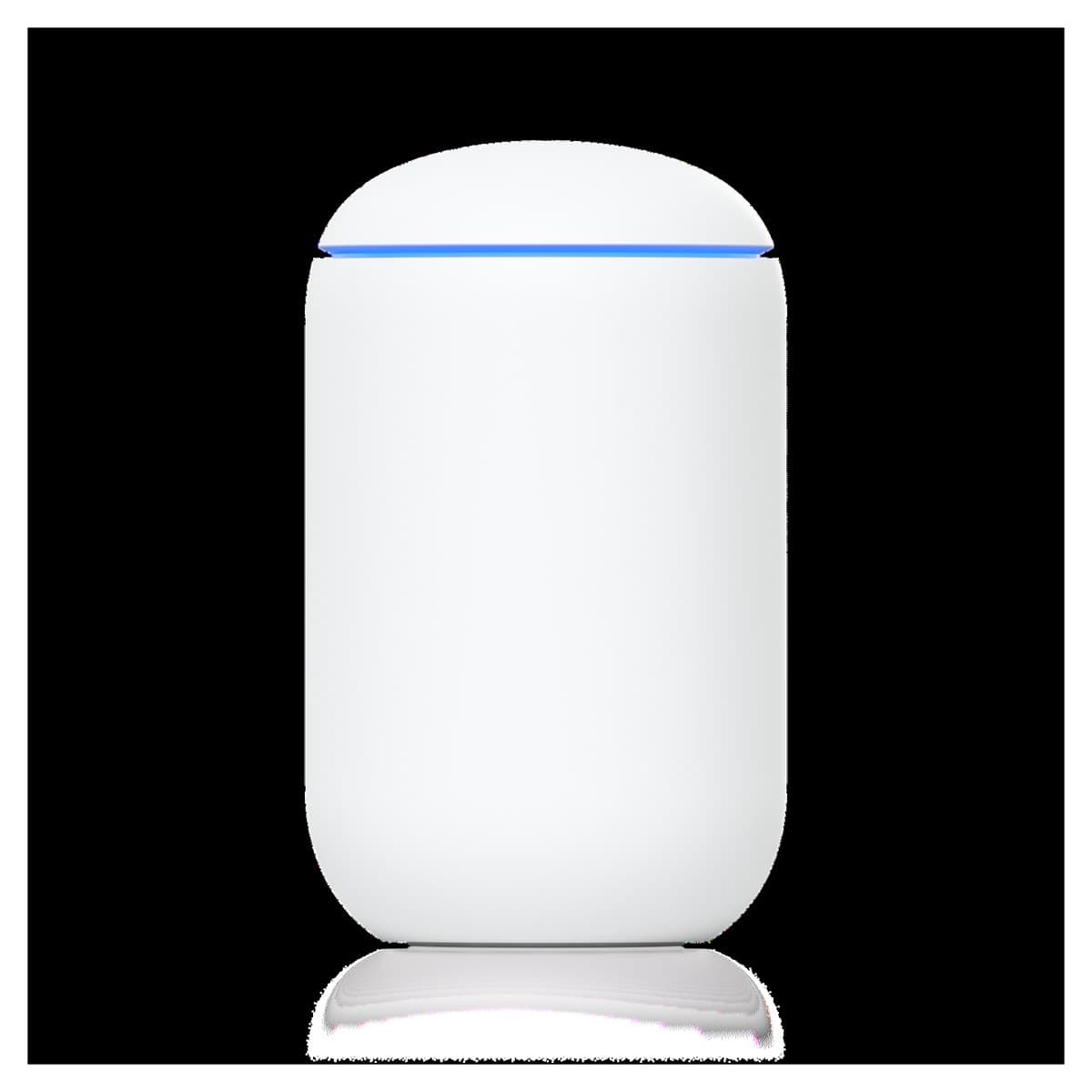
The UniFi Dream Machine is the easiest way to stand up a professional, secure network. It combines a security gateway (router/firewall), a managed switch, and a WiFi controller in one compact unit, so a small business gets enterprise-style networking without a rack of separate boxes.
Its biggest advantage is ease of use paired with powerful remote management. The UniFi interface is clean and visual, and because it connects to Ubiquiti's cloud, we can monitor and adjust your network from anywhere: pushing firmware updates, adding WiFi networks, or diagnosing a problem without a truck roll.
Key features & benefits
- All-in-one: router/firewall, managed switch ports, and a WiFi access point in a single device: fewer parts to fail and a lower total install cost
- Genuinely easy to run: the UniFi dashboard shows every client, application, and bottleneck at a glance instead of hiding it behind command-line configuration
- Remote management built in: we can support your site from our office, so most changes and troubleshooting happen without a visit
- Optional add-on security subscription: an upgraded threat-management/IDS-IPS service that inspects traffic for intrusions, malware, and known-bad destinations and updates its signatures automatically: a low-cost way to layer active protection on top of the built-in firewall
- Part of the wider UniFi ecosystem (see below): the same controller can grow into cameras, door access, and multi-site WiFi
MikroTik RB2011
Proven, reliable workhorse for advanced network configurations
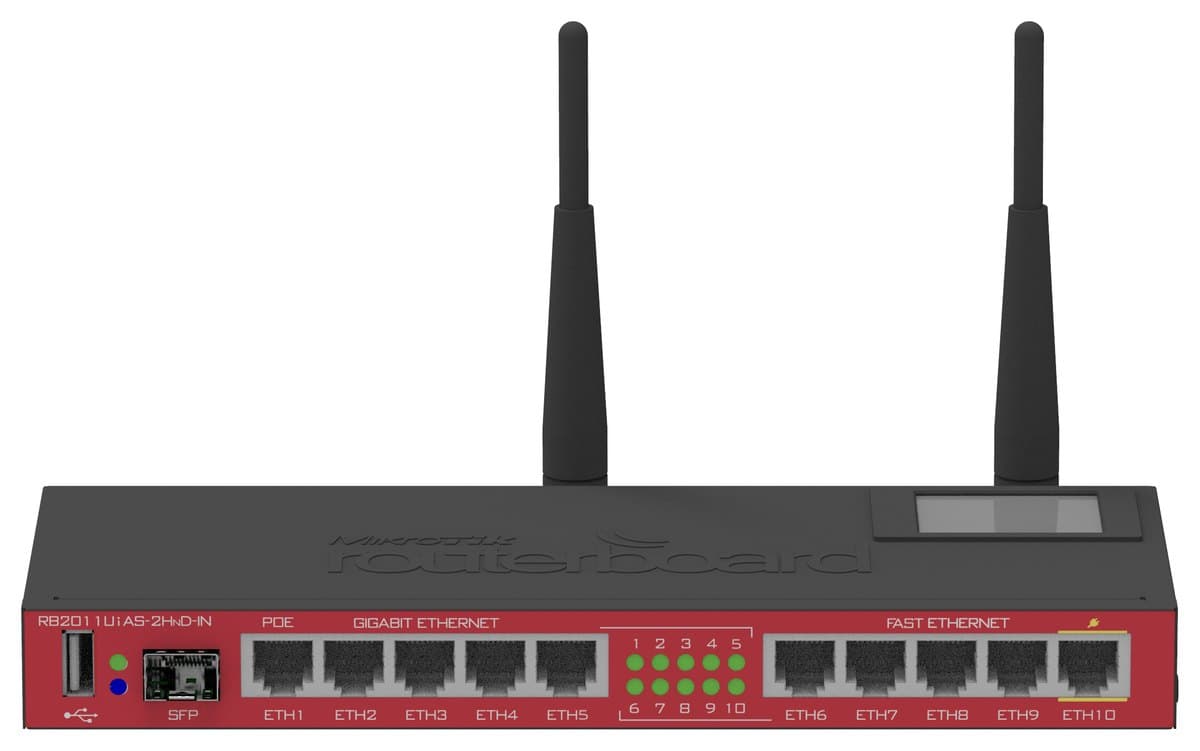
The MikroTik RB2011 built its reputation on two things: deep configurability and long-term reliability. Running MikroTik's RouterOS, it handles the kind of advanced setups (VLANs, policy routing, firewall rules, VPNs, bandwidth shaping) that consumer routers simply can't.
We reach for the RB2011 when a site needs precise control over how traffic moves and a device that will run for years without attention. It is a long-serving platform, and while the RB5009 (below) is its modern successor, the RB2011 remains a dependable choice where its port count and throughput are a good fit.
Key features & benefits
- RouterOS gives full professional control: VLANs, static/policy routing, granular firewall, NAT, QoS bandwidth shaping, and VPN termination
- Reliability first: a mature, field-proven platform known for staying up for years in production
- Multiple wired ports for segmenting a network (guest vs. staff, voice vs. data) on one device
- Scriptable and monitorable, so we can automate failover logic and get alerts before small issues become outages
MikroTik RB5009
Next-generation successor to the RB2011: faster, PoE, cooler-running
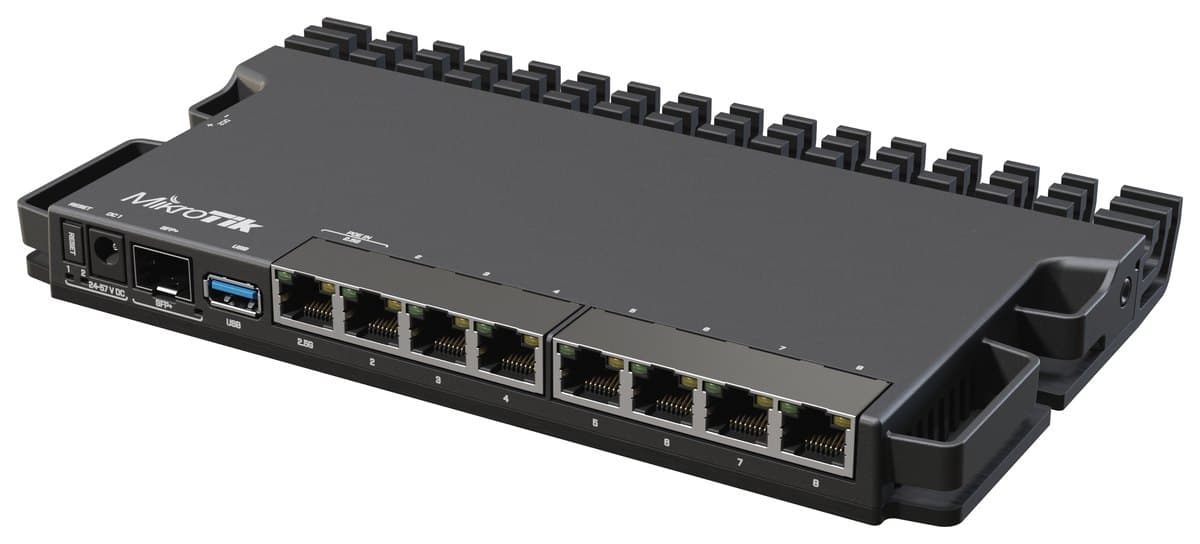
The RB5009 is the modern replacement for the RB2011. It keeps everything people trusted about MikroTik (the same powerful RouterOS and advanced configuration), but adds a large jump in raw speed, Power-over-Ethernet, and far better thermal behavior.
The newer ARM processor moves dramatically more traffic, so the RB5009 comfortably handles today's gigabit (and faster) internet connections. Its fanless metal case dissipates heat efficiently, which means quiet operation and a longer service life in a closet or cabinet.
Key features & benefits
- Big performance gain over the RB2011: modern multi-core CPU built for gigabit-plus and multi-gig links
- PoE options: PoE-in to power the router itself and PoE-out to power a downstream device such as an access point or camera, reducing extra power supplies
- Includes a 2.5 Gigabit port and an SFP+ cage for 10 Gigabit fiber/DAC, so it is ready for faster-than-gigabit service
- Superior power dissipation: fanless aluminum enclosure runs cooler and quieter, improving reliability and lifespan
- Same RouterOS feature set as the RB2011 (VLANs, firewall, QoS, VPN), so existing MikroTik configurations carry forward
MikroTik hEX
Small, economical, and rugged for tight spaces and harsh environments
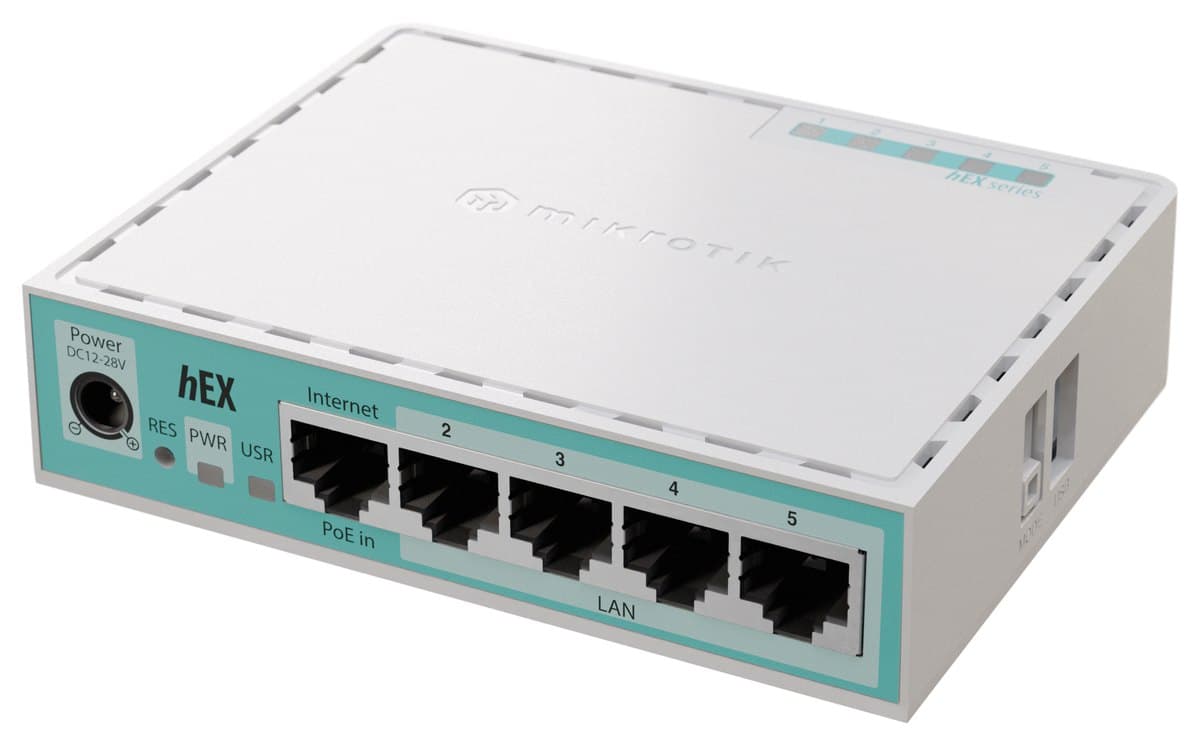
The MikroTik hEX packs the full RouterOS feature set into a tiny, low-cost, fanless box. When a project needs serious routing capability but has little room and a tight budget, the hEX is often the answer.
It is also a favorite for industrial and high-temperature environments (pump houses, rooftop enclosures, shop floors, and equipment cabinets), where its wide operating-temperature range and no moving parts let it keep running where a typical router would fail.
Key features & benefits
- Small and lightweight: fits in enclosures, behind displays, and in space-constrained IDF/closet installs
- Economically priced: professional-grade routing at a fraction of the cost of enterprise gear
- Full advanced RouterOS configuration (VLANs, firewall, VPN, QoS) despite the small footprint
- Built for industrial and high-temperature environments: wide operating-temperature range and fanless (no moving parts to fail in dust or heat)
- Gigabit ports and low power draw make it ideal for remote sites and edge locations
GL.iNet GL-XE3000 (Puli AX) / Katalyst SPARK K500A
Battery-backed 5G cellular router with dual-SIM and WAN failover
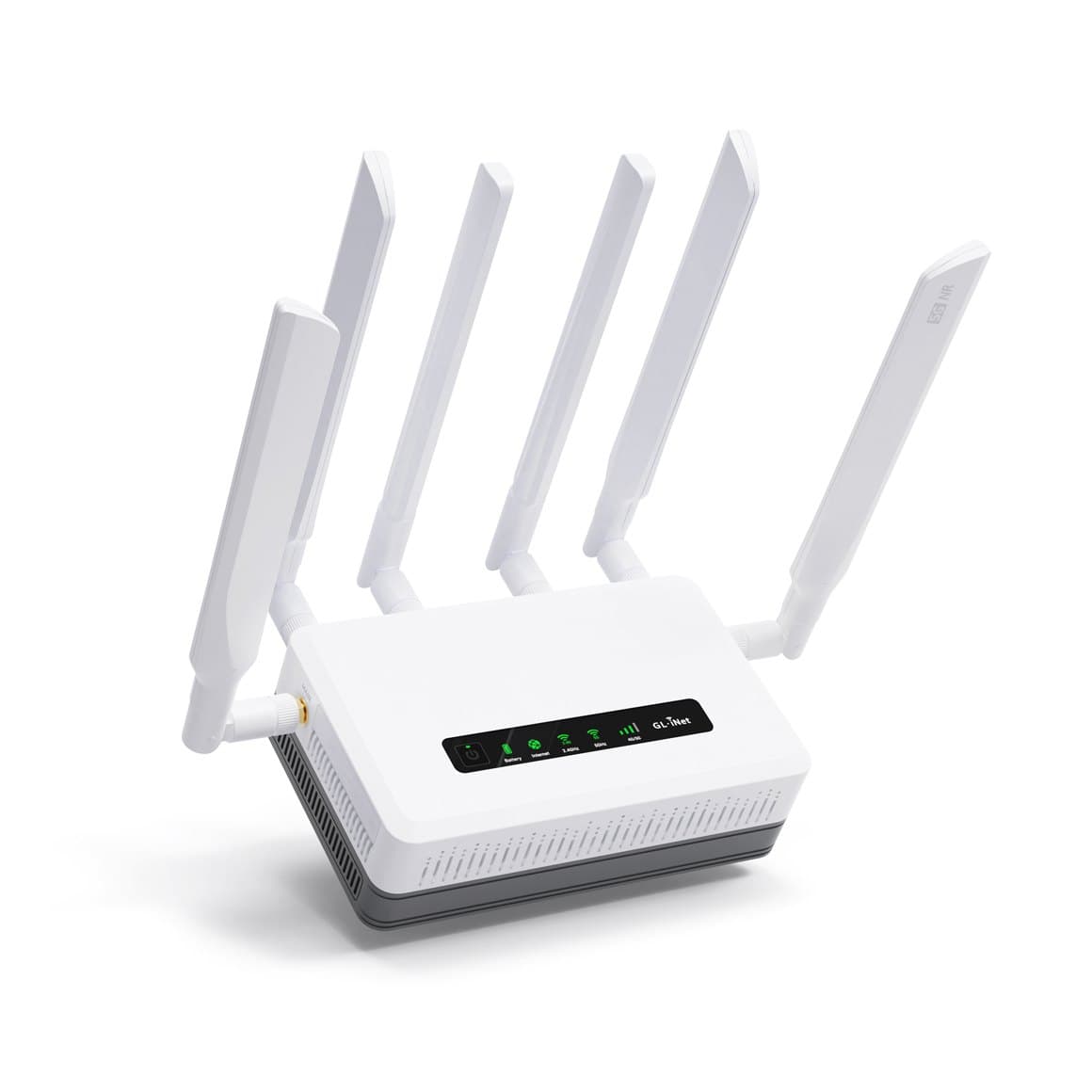
The GL.iNet GL-XE3000 (Puli AX) and the Katalyst SPARK K500A are the same hardware sold under two names: a rugged, battery-backed 5G cellular router designed to keep a site online no matter what.
This is our go-to for locations that cannot tolerate downtime. It accepts up to two cellular SIM cards in addition to a hardwired WAN, so it can automatically switch to cellular the moment the primary internet drops, and switch between carriers if one has poor coverage. A large built-in battery keeps it running through a power outage, making it equally useful as a portable, off-grid connectivity kit.
Key features & benefits
- Up to two cellular SIM cards plus a hardwired WAN, with automatic failover: the network stays up even if the wired line is cut or a carrier goes down
- 5G NR (Cat 19) speeds for genuinely fast cellular backup, not just a trickle
- WiFi 6 (AX) for fast, dense local wireless coverage
- Massive 6400 mAh built-in battery: up to about 8 hours of uptime off the grid, ideal for outages, events, and field deployments
- Highly customizable OpenWrt operating system: advanced networking, site-to-site VPN, and full remote management
GL.iNet GL-X3000 (Spitz AX) / CSG M519
5G cellular router with WiFi 6: same platform, without the battery
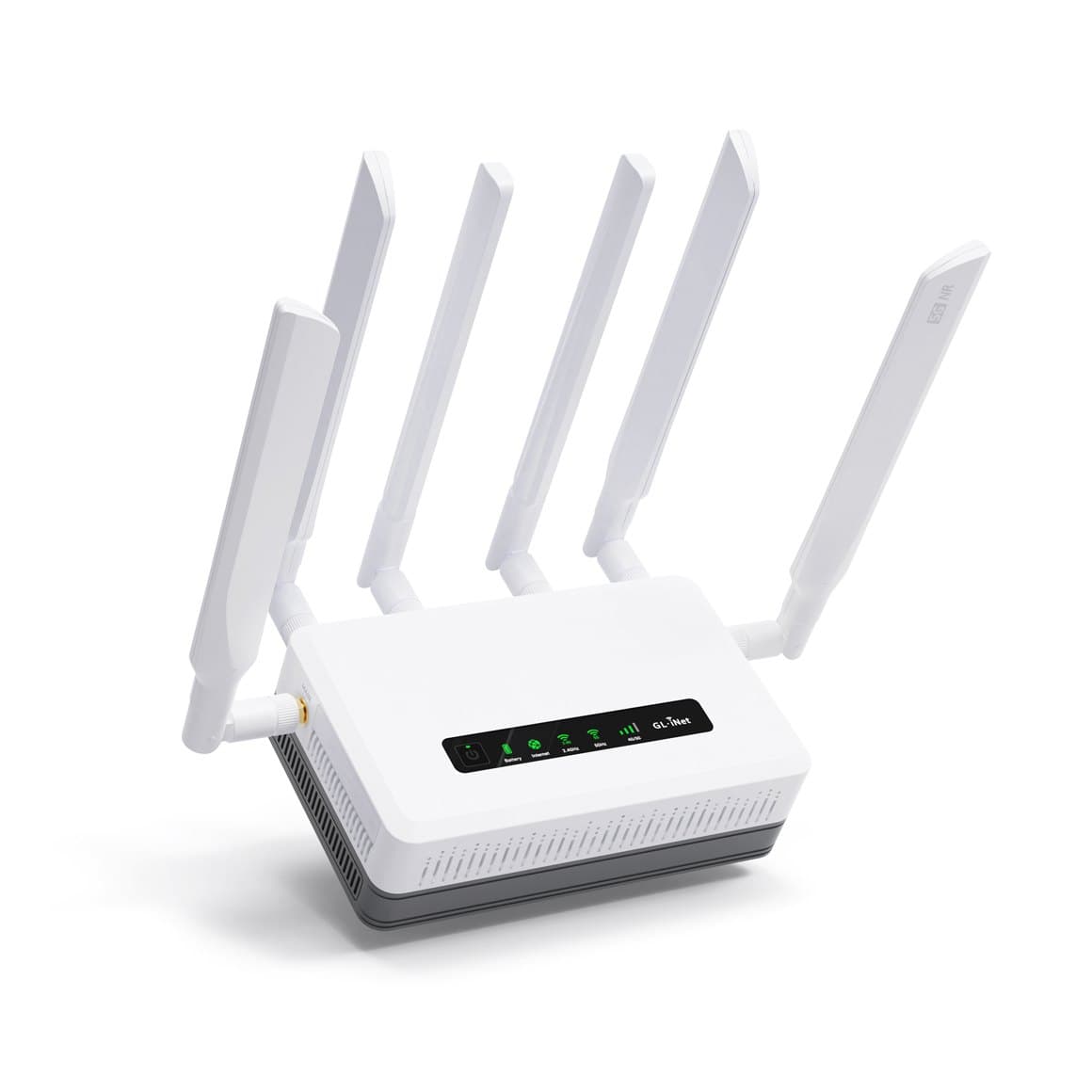
The GL.iNet GL-X3000 (Spitz AX) and the CSG M519 are the same hardware. It is very similar to the battery-backed unit above, aimed at permanent installs where wall power is always available, so it does not include the built-in battery backup.
It pairs a 5G NR modem (often the Quectel RM520N-GL) with WiFi 6 (AX3000) for fast local broadcasting, making it an excellent primary or backup connection for a fixed site.
Key features & benefits
- 5G NR modem (commonly the Quectel RM520N-GL) for high-speed cellular connectivity
- WiFi 6 (AX3000) for fast, modern local wireless coverage
- Cellular and wired WAN failover to keep the site connected
- Highly customizable OpenWrt operating system: advanced networking, site-to-site VPN, and remote management
- No built-in battery: a lower-cost fit for permanent installations on reliable wall power
GL.iNet GL-AX1800 (Flint)
Economical WiFi 6 router with the full OpenWrt toolkit
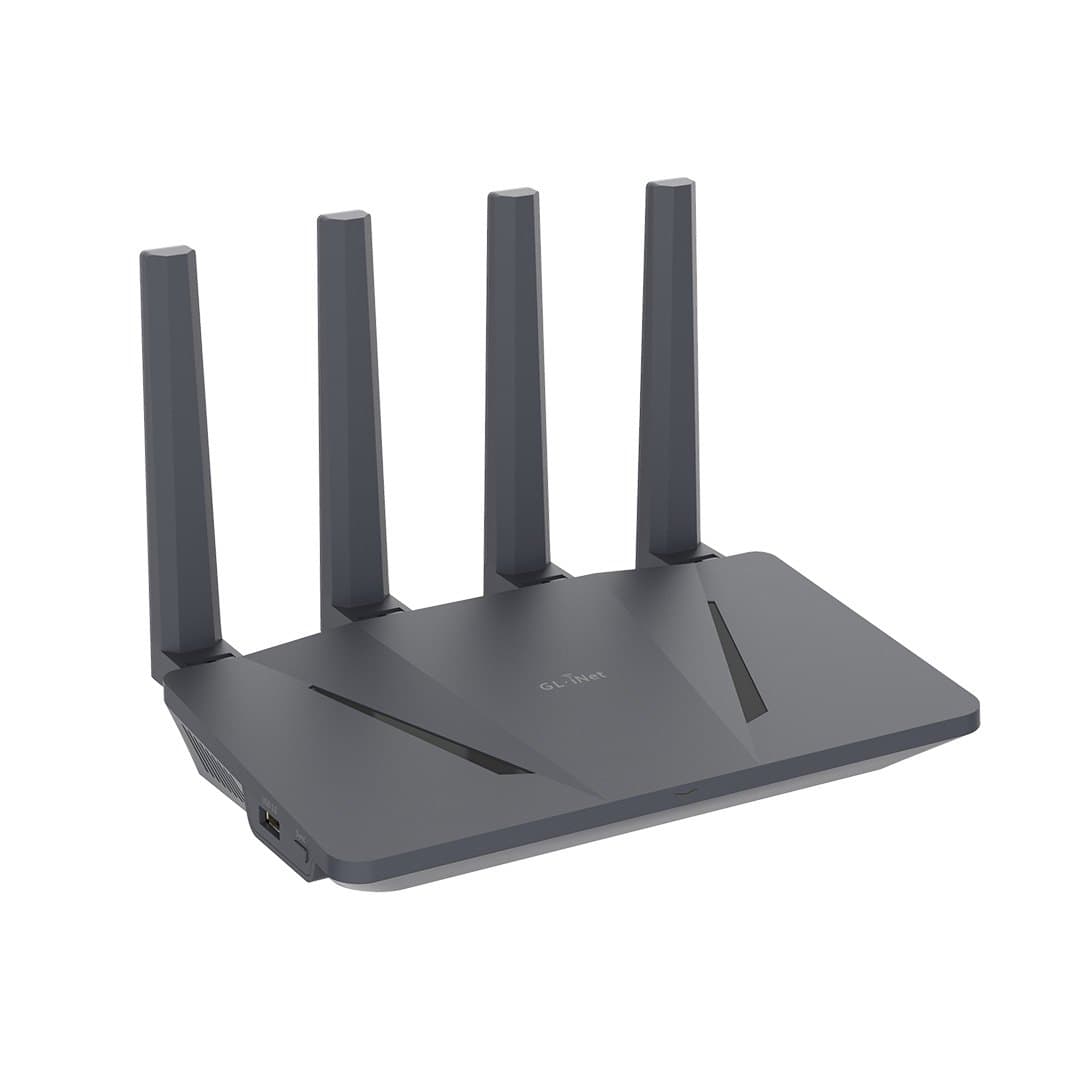
The GL.iNet GL-AX1800 (Flint) delivers the same highly customizable OpenWrt platform as its cellular siblings in an affordable, wired WiFi 6 router. It is a smart choice when a site wants advanced capabilities (especially VPN), without paying for a cellular modem.
Despite its low price, it runs true site-to-site and client VPNs, advanced firewall and routing, and full remote management, making it a strong value for branch offices, remote workers, and secure home labs.
Key features & benefits
- Highly customizable OpenWrt operating system for advanced networking
- Built-in site-to-site and client VPN support (WireGuard and OpenVPN) with strong throughput
- WiFi 6 for fast local wireless
- Full remote management for hands-off support
- Economically priced: enterprise-style features at a consumer price point
Cisco Meraki MX67
Cloud-managed security appliance with a subscription license model
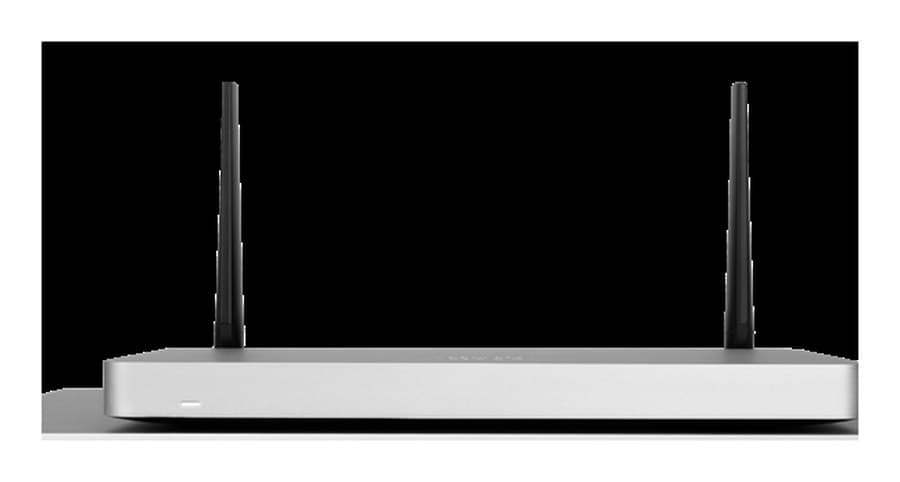
The Cisco Meraki MX67 is an enterprise cloud-managed security appliance. Like the UniFi Dream Machine, its strength is centralized remote management: every Meraki device is configured and monitored from Cisco's cloud dashboard, which is excellent for organizations that run many sites.
It sits at a higher cost point than the other options here, and it is important to understand its model: a Meraki MX requires an active yearly subscription license to function. If the license lapses, the device stops passing traffic, so it is best suited to organizations that budget for ongoing licensing in exchange for Cisco-grade support and features.
Key features & benefits
- Powerful cloud-based remote management and monitoring across one or many sites from a single dashboard
- Enterprise security and SD-WAN features (firewall, content filtering, intrusion prevention, auto-VPN between sites)
- Higher cost point than the other routers on this page
- Yearly subscription license required: the appliance must be licensed to operate, an ongoing cost to plan for
- Backed by Cisco's enterprise support ecosystem
Key networking concepts, explained
Dual-carrier & SIM failover
Several of our cellular routers accept two SIM cards from different carriers and can also fall back from a wired internet line to cellular automatically. The benefit is simple but powerful: if your primary internet fails (a cut fiber line, an area outage, or a carrier with poor coverage that day), the router switches to a working connection within seconds, usually before anyone notices. For businesses that process payments, run cameras, or depend on cloud software, this is the difference between a minor blip and a costly outage.
OpenWrt, site-to-site VPN & advanced configuration
Many devices here run OpenWrt or MikroTik RouterOS: professional operating systems that unlock capabilities consumer routers lack. The most valuable is site-to-site VPN: an encrypted tunnel that securely joins two or more locations (say a main office and a warehouse) into one private network over the public internet, so staff and devices reach each other as if they were in the same building. Combined with advanced routing, VLAN segmentation, and firewall rules, these platforms let us tailor the network precisely to how your business actually works.
Remote management
Every router we recommend can be managed remotely. That means we can update firmware, add a WiFi network, adjust firewall rules, and diagnose problems from our office, so most support happens immediately, without waiting for a scheduled site visit. It lowers your cost of ownership and shortens the time to resolve any issue.
The UniFi ecosystem
A UniFi Dream Machine is often just the starting point. Because it runs Ubiquiti's unified controller, the same device and dashboard can grow into a full building-management platform: it can act as a network video recorder for UniFi Protect security cameras, serve as the brains of a UniFi Access door-entry system, and centrally manage WiFi across many access points. Buying into the ecosystem means one interface, one login, and one vendor for your network, cameras, and door access: a major convenience for growing businesses.
Cable modems & bridge mode
The routers above pair with a cable modem when your internet service arrives over coax from a provider like Cox or Comcast. Our recommendation depends on what equipment is already in place:
- If a modem hasn't been chosen yet, we ask the provider for a modem-only device, one without built-in WiFi or a router. This avoids two devices fighting to route your traffic and keeps control with the business-grade router we install.
- If the cable company already supplied a combo unit (a modem with built-in WiFi and router), we usually disable that portion and put the device into bridge mode, turning it into a cable modem only. We then connect it to one of the routers on this page, which handles routing, firewall, VPN, and WiFi properly.
The result is a clean handoff: the modem does one job (bring the internet signal in) and your router does everything else, which is more reliable, more secure, and far easier for us to support remotely.
Planning a network installation or need help choosing the right router for cellular failover, VPN, or multi-site management? We'll spec it for you.
CALL 520-301-4144SERVICE REQUEST