
Hanwha's Wisenet 9 for Healthcare: Proactive Video AI, Six Behaviors, Two Search Tools
A walkthrough of Hanwha's Wisenet 9 platform for healthcare: one dual-NPU camera platform, six on-camera behaviors, two search tools, and the answer on nurse call integration is, verbatim, "probably the answer is maybe."
The setup
Hanwha's Wisenet 9 platform puts proactive AI on the camera itself: the camera analyzes its own video, generates the events and metadata locally, and pushes the right alert to the right people without a separate analytics server. Healthcare is where this matters most, because the problems it addresses are healthcare's problems: workplace violence, patient falls, elopement, unauthorized access, and medication diversion.
I install Hanwha cameras for a living, so this is my walkthrough of the platform as it's aimed at hospitals: the six on-camera behaviors, the two search tools built on that metadata, the hardware notes that matter in clinical spaces, and the deployment decisions that decide whether any of it actually helps. The stills throughout are Hanwha's own material; overlays like bounding boxes are their illustrative renderings, not live footage.
One frame to hold through the whole piece: pick one location in a hospital you know, whether an entrance, a stairwell, or a medication room, and keep it in mind. By the end you should know the camera capability, the view, and the process that location needs. Read every feature below through that lens.
Five problems, one shared bottleneck
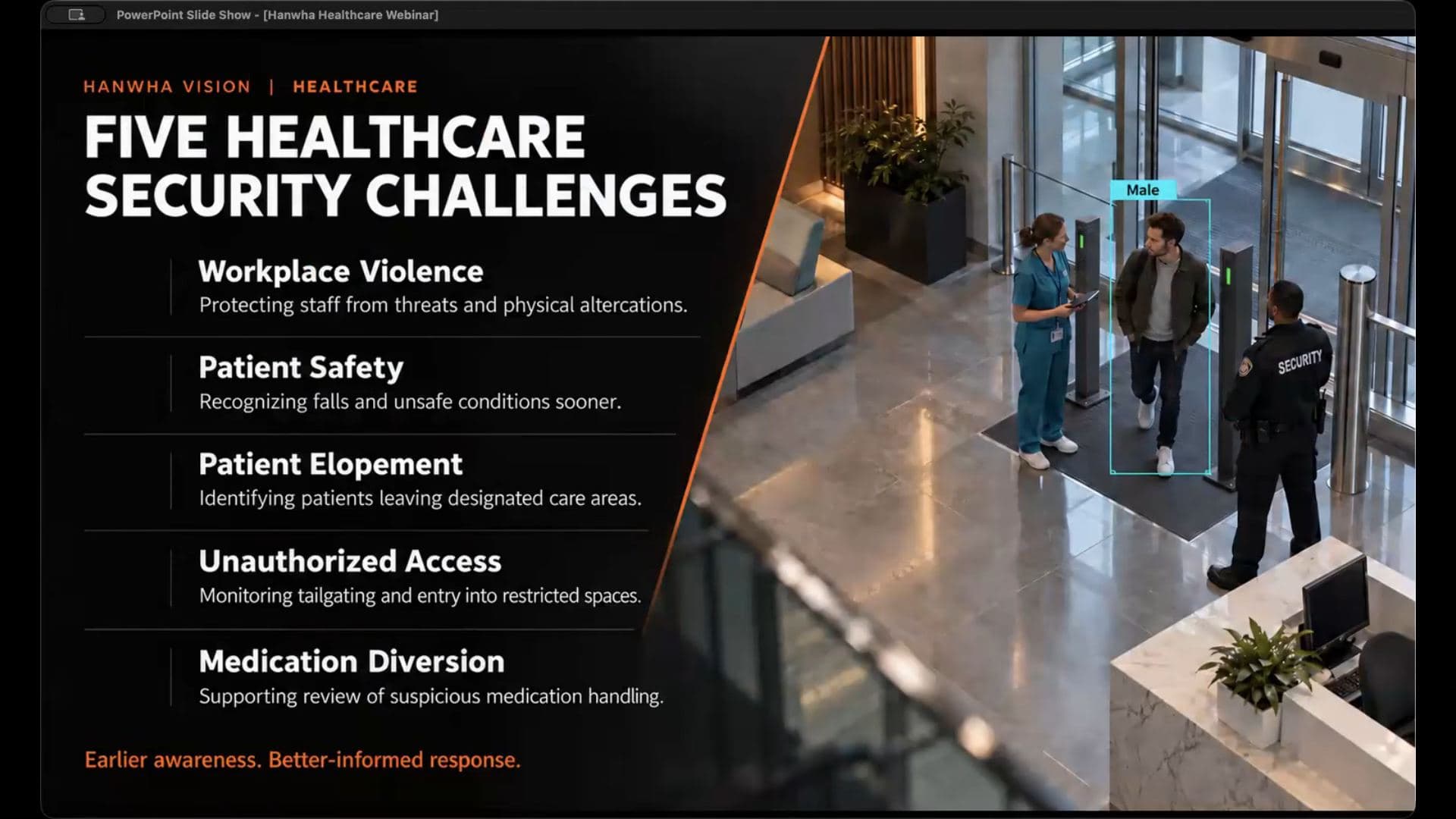
The framing slide lists five healthcare security challenges: workplace violence, patient safety (falls), patient elopement, unauthorized access, and medication diversion. Different departments own those problems, but they share a bottleneck: someone has to see the event, understand it, and get the right people involved.
The honest version of the problem: a hospital may have hundreds of cameras, and no operator watches every view continuously or catches every important movement. So the useful question is not "do we have cameras there." It's "how quickly can the hospital become aware, and what information reaches the person responsible for responding."
Wisenet 9: two NPUs, one camera
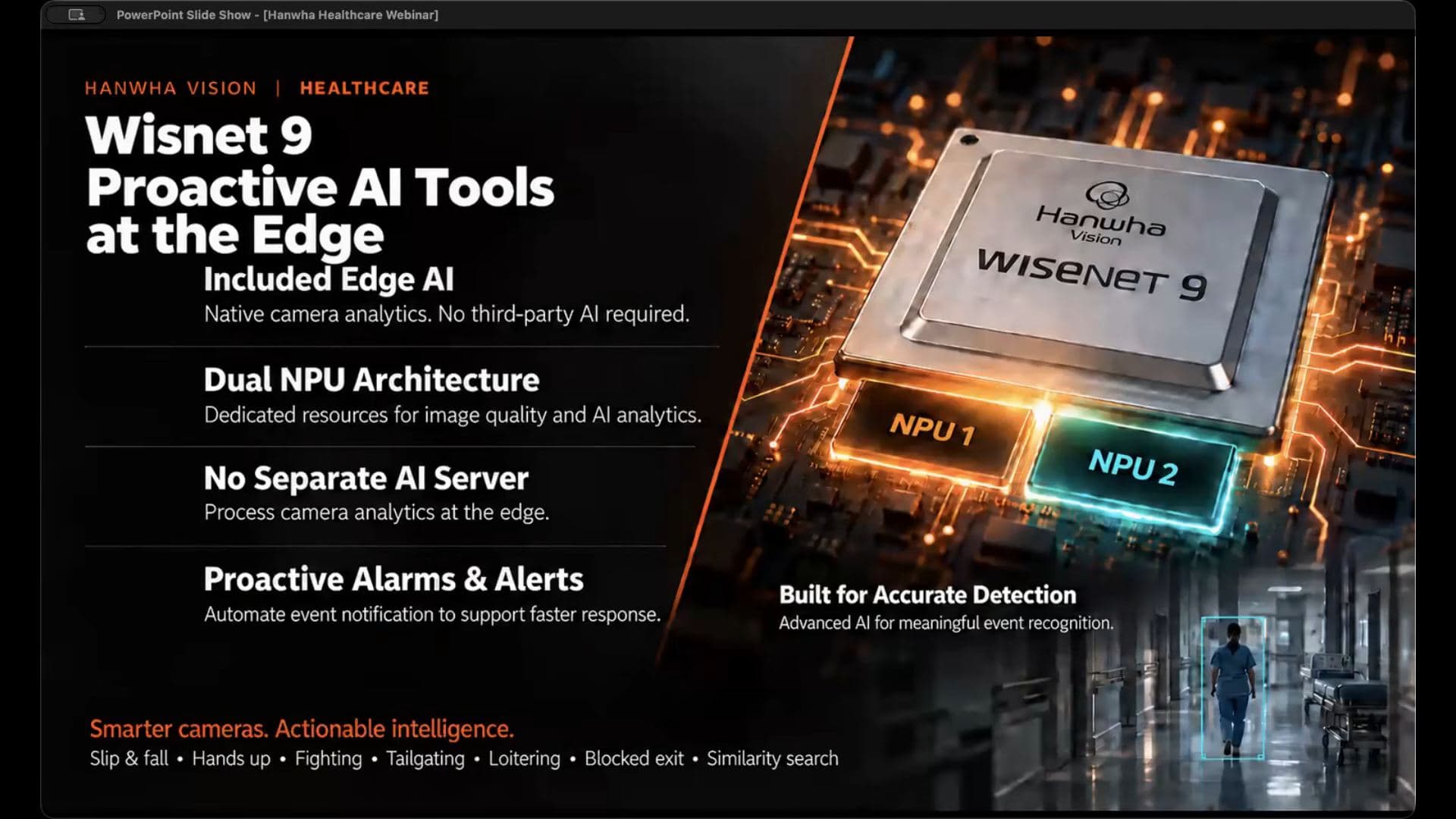
The platform pitch is AI at the edge: the camera analyzes its own video and generates the events and metadata locally. No separate AI server, no third-party analytics box. The Wisenet 9 chipset does this with a dual NPU architecture, and the split is worth knowing because it explains the image quality pitch:
- NPU 1 handles image quality: noise cleanup and wide dynamic range.
- NPU 2 runs the AI analytics you've enabled, which Hanwha claims is faster and more accurate than anything else on the market. Vendor claim, take it as one.
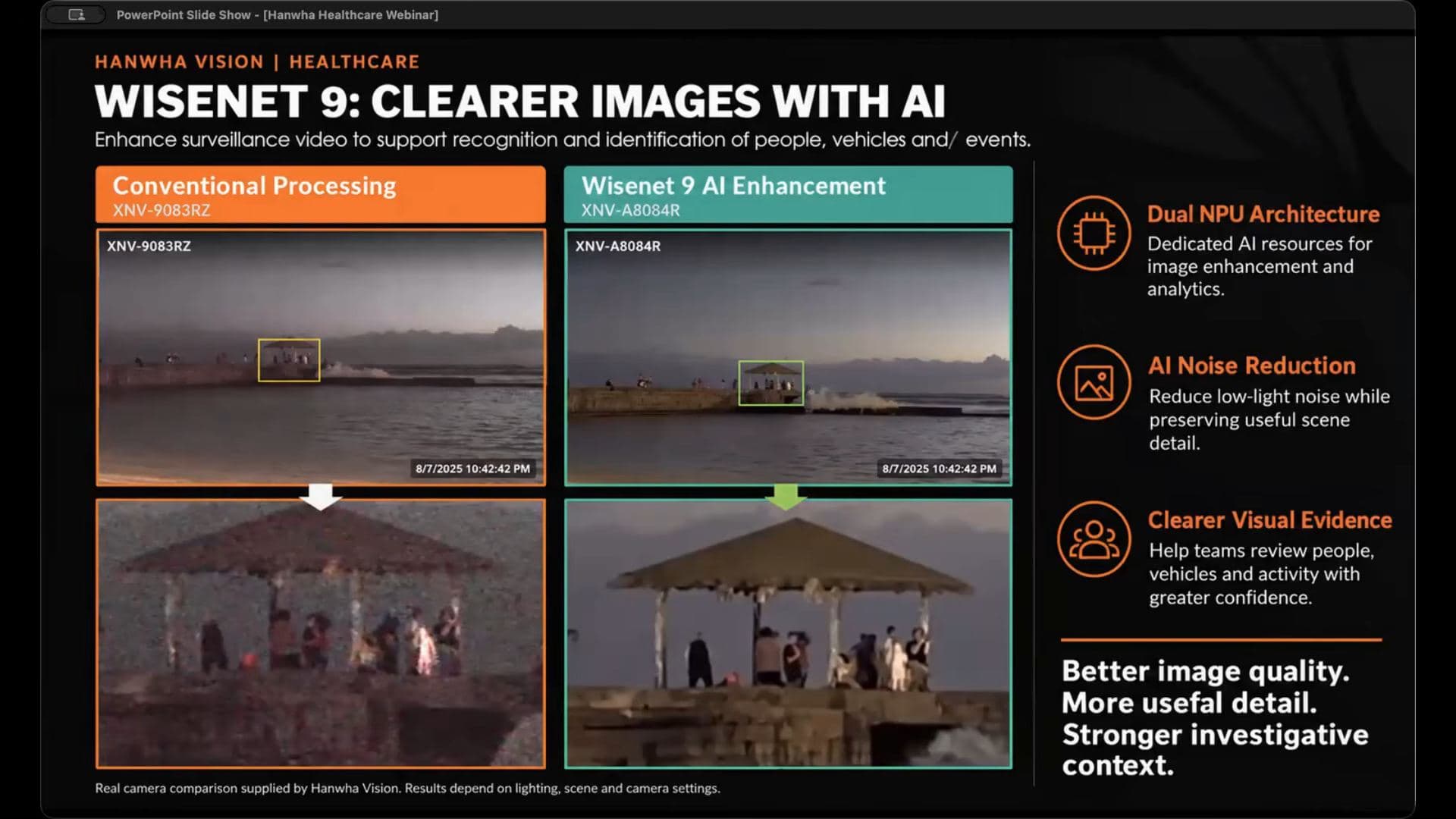
The comparison slide puts a conventional-processing XNV-6081R next to a Wisenet 9 XNV-A8084R on the same scene, and the difference worth caring about is the noise around people in difficult light: backlit entrances, uneven garage lighting, dim rooms.
The best guidance in this section has nothing to do with the chipset: when you do a shootout, always test under the conditions that actually matter to you. A clear still image doesn't tell you how the camera handles a moving hand or someone walking through a bright doorway.
From detection to action
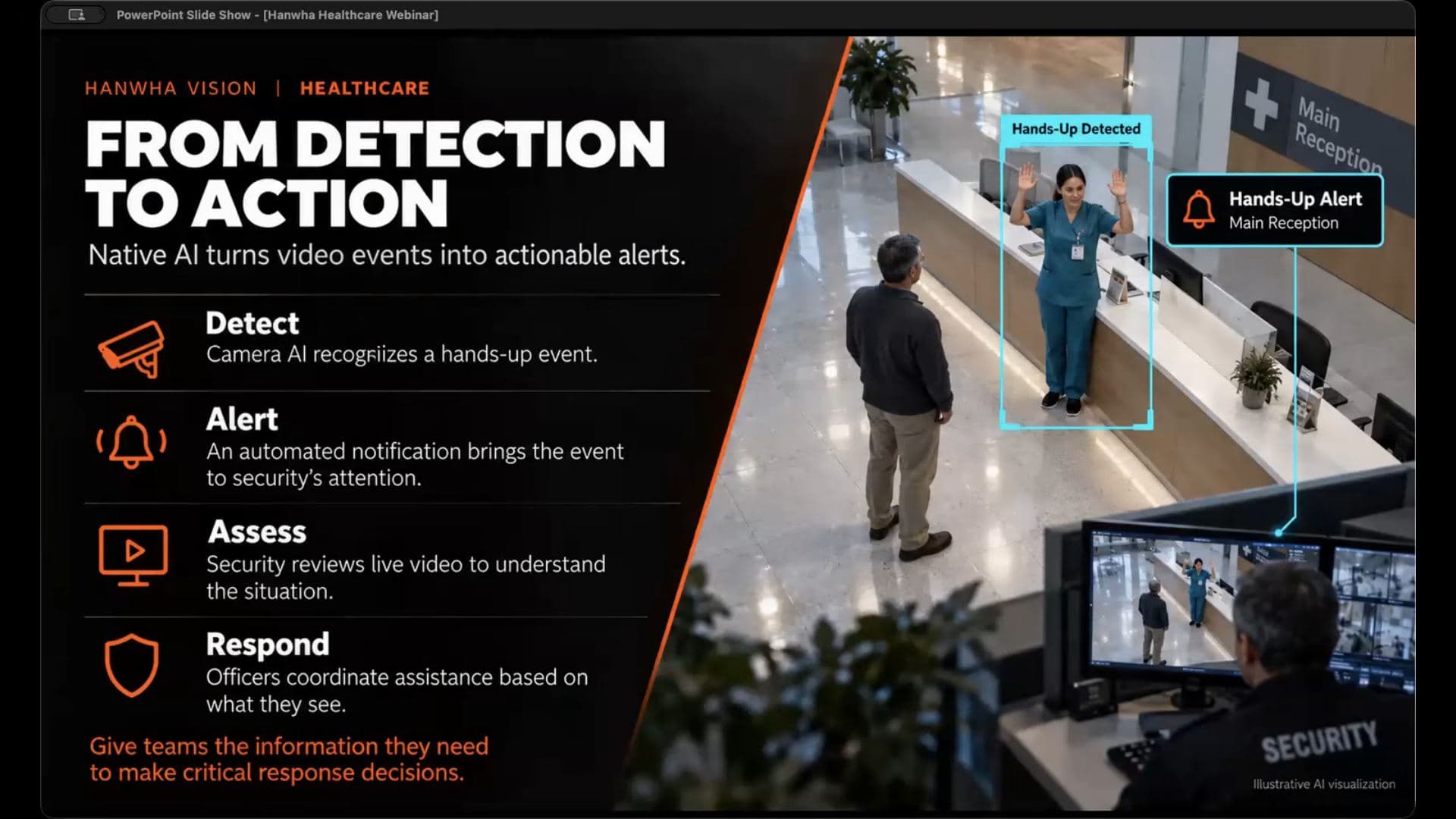
This is the workflow slide, and it's the part most vendors skip: the camera detects a supported event, the system alerts the right team, an operator assesses the video, and the hospital responds per its own procedure. The example is a hands-up gesture in a reception area: the camera recognizes the gesture, security gets a notification tagged with the location, the operator opens the video and decides how to coordinate help.
Inside those four steps sit the design decisions that must be answered before any deployment: which events produce an alarm, who receives it, does the alarm carry a live view or a recorded clip or both, what happens if the first operator doesn't acknowledge it, and what response is appropriate for that location.
An alert that no one owns creates little value. His other warning is just as practical: too many poorly tuned alerts make the operator's job harder, not easier.
The pilot recipe is refreshingly plain: pick a defined area with a defined response. An entrance or a stairwell. Configure the event, test the notification, have the responding team physically walk through what they'd do, review the results, tune.
The six behaviors the camera watches for
All of these run on the camera itself, included, not licensed per event:
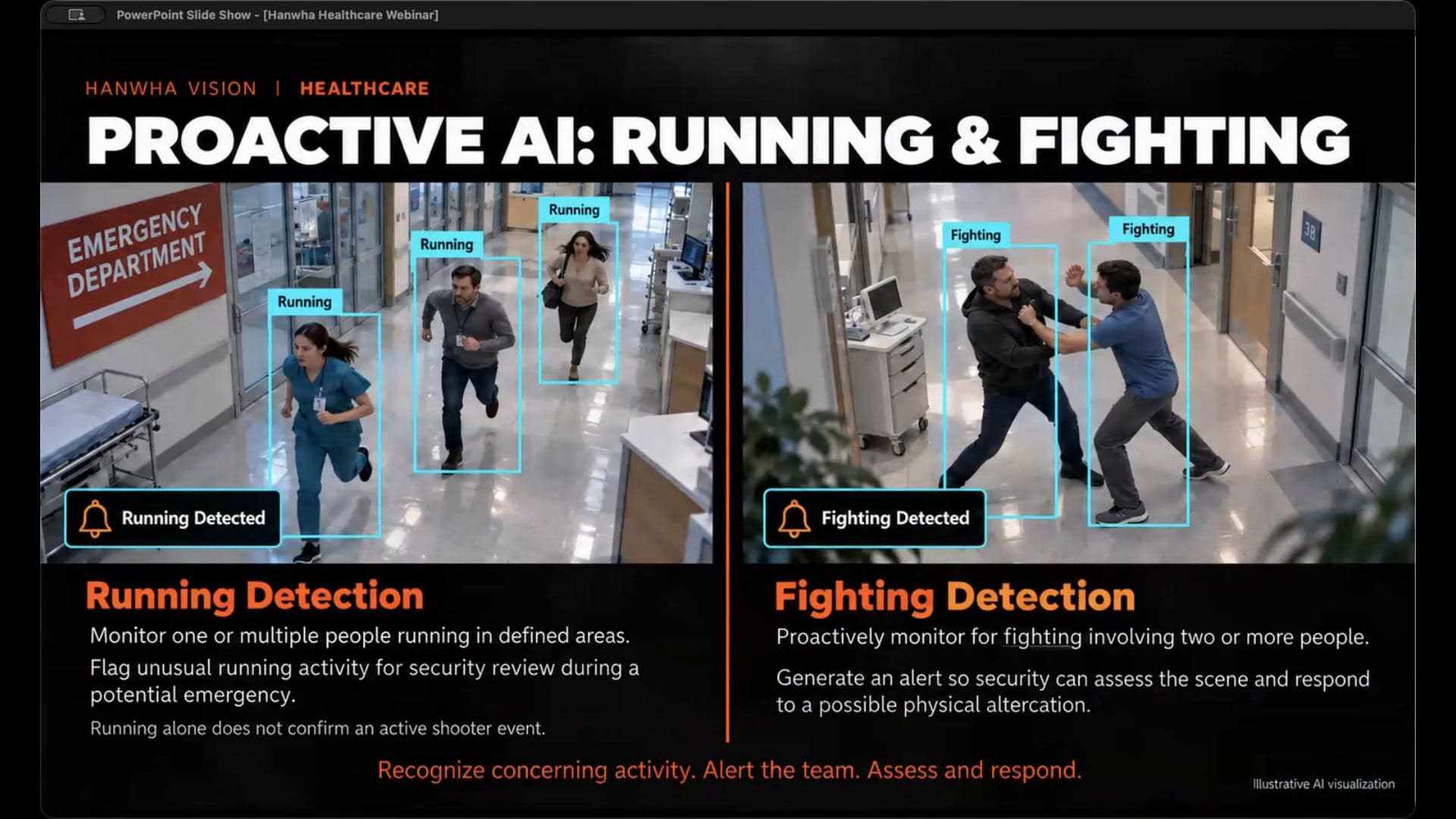
- Running. The example is an emergency department where several people are running at once. A caution: running doesn't by itself establish what's happening. Someone may be rushing to help, or away from a threat. The point is the immediate notification so a human can pull up context.
- Fighting. Two people in a physical altercation in a hallway. Placement advice: wherever there's a history of conflict or staff and patients to protect.
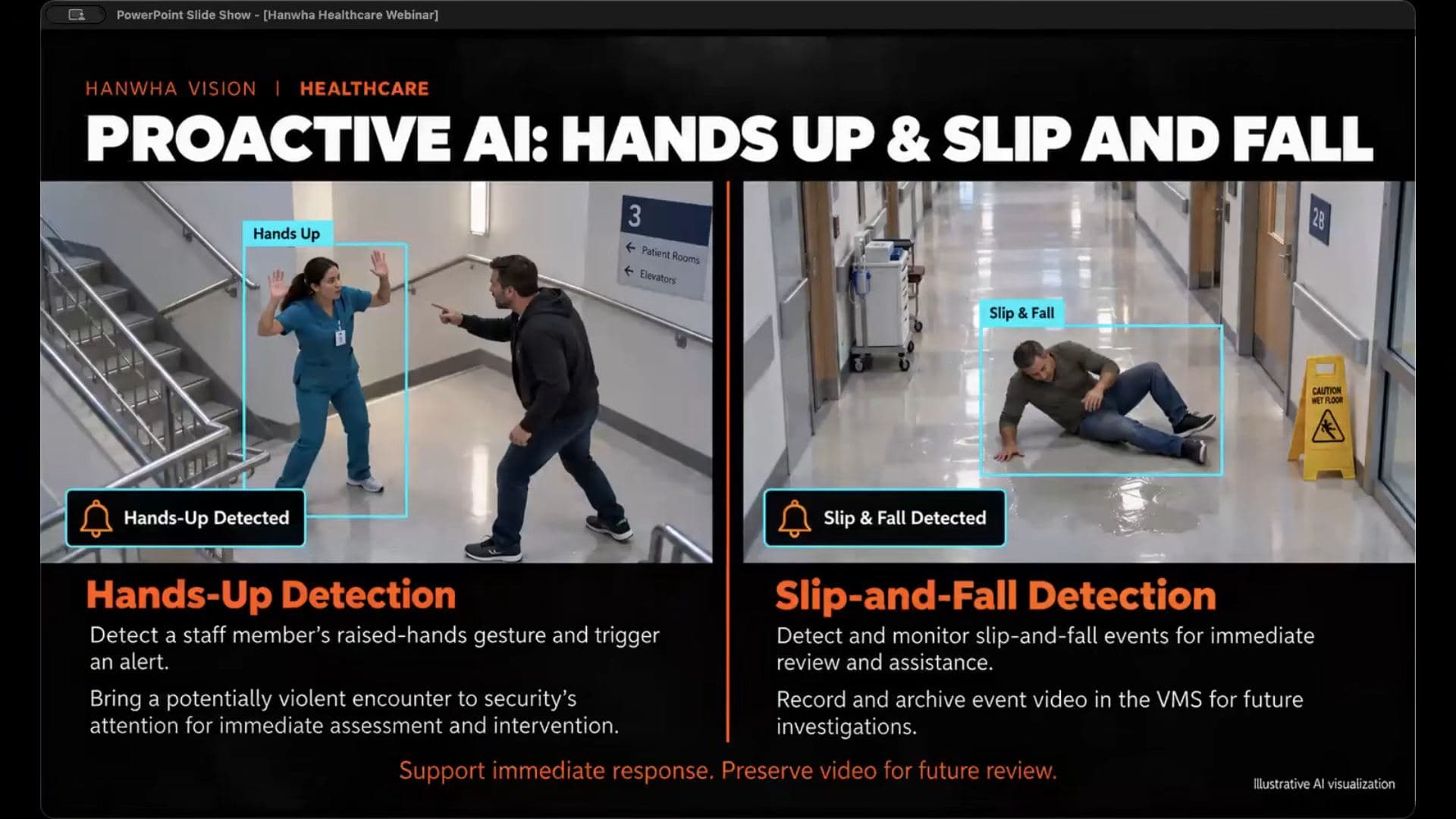
- Hands up. A nurse in a stairwell raising a hand during a confrontation. The pitch is locations where someone may have trouble reaching a phone. Same caution applies: raised hands have innocent meanings too, so test the intended use during the pilot and tune for that scene's ordinary activity.
- Slip and fall. Two benefits: the alert brings a possible fall into view so the team can coordinate help, and the recorded video preserves the sequence and conditions around the incident for later review. Immediate awareness plus later understanding.
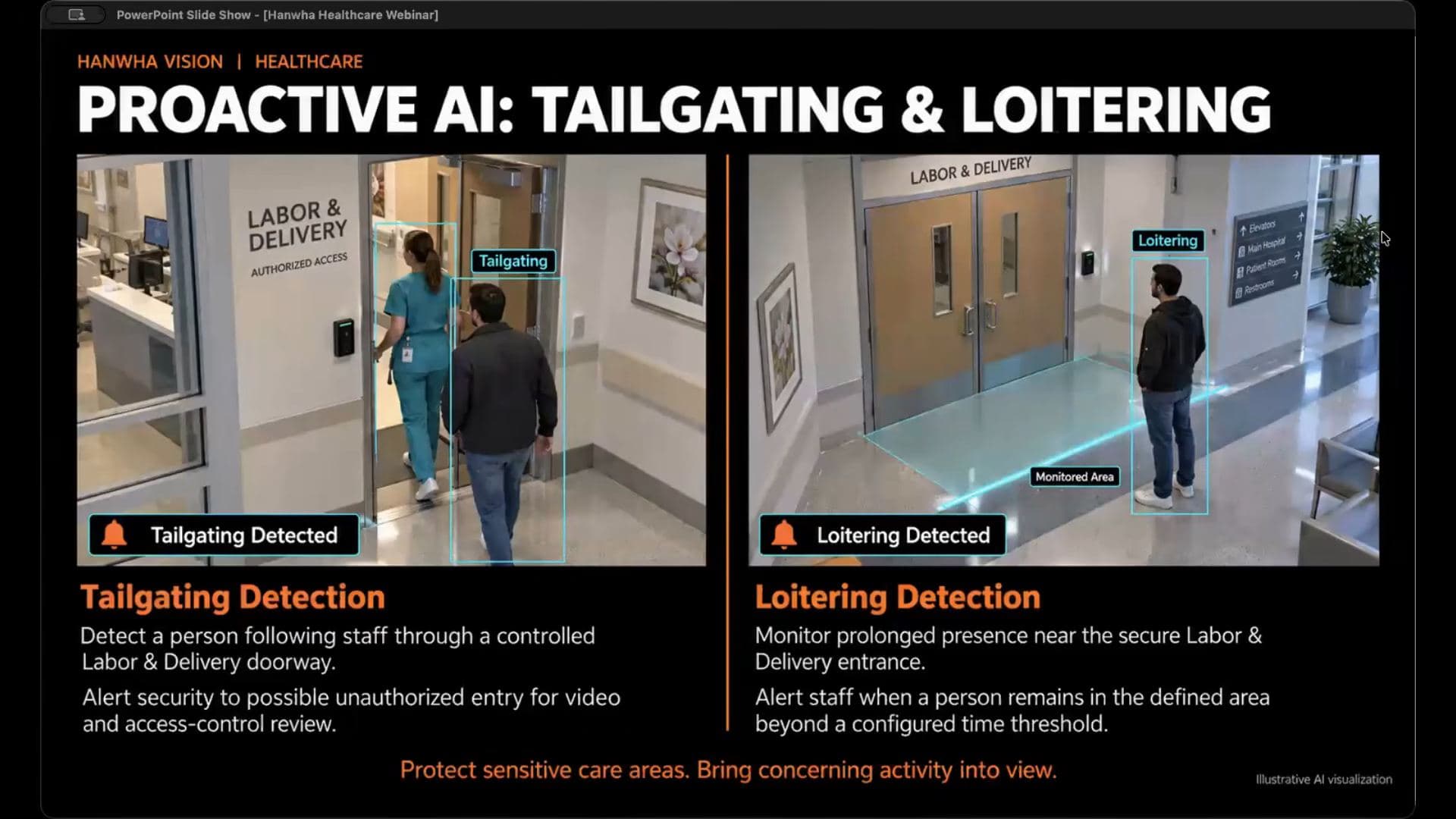
- Tailgating. Illustrated at labor and delivery: a nurse badges through a controlled door and someone follows close behind. The camera flags the entry pattern, security compares it against access control logs. Position it as a secondary line of alarm supplementing access control, not a replacement.
- Loitering. A defined area near a secure entrance; if someone remains past a configured threshold, it alerts. Lingering doesn't always signal harmful intent either, and the alert still gives staff the chance to look and decide.
Search that actually finds people
Two search tools, both running against the AI metadata the cameras already generated.
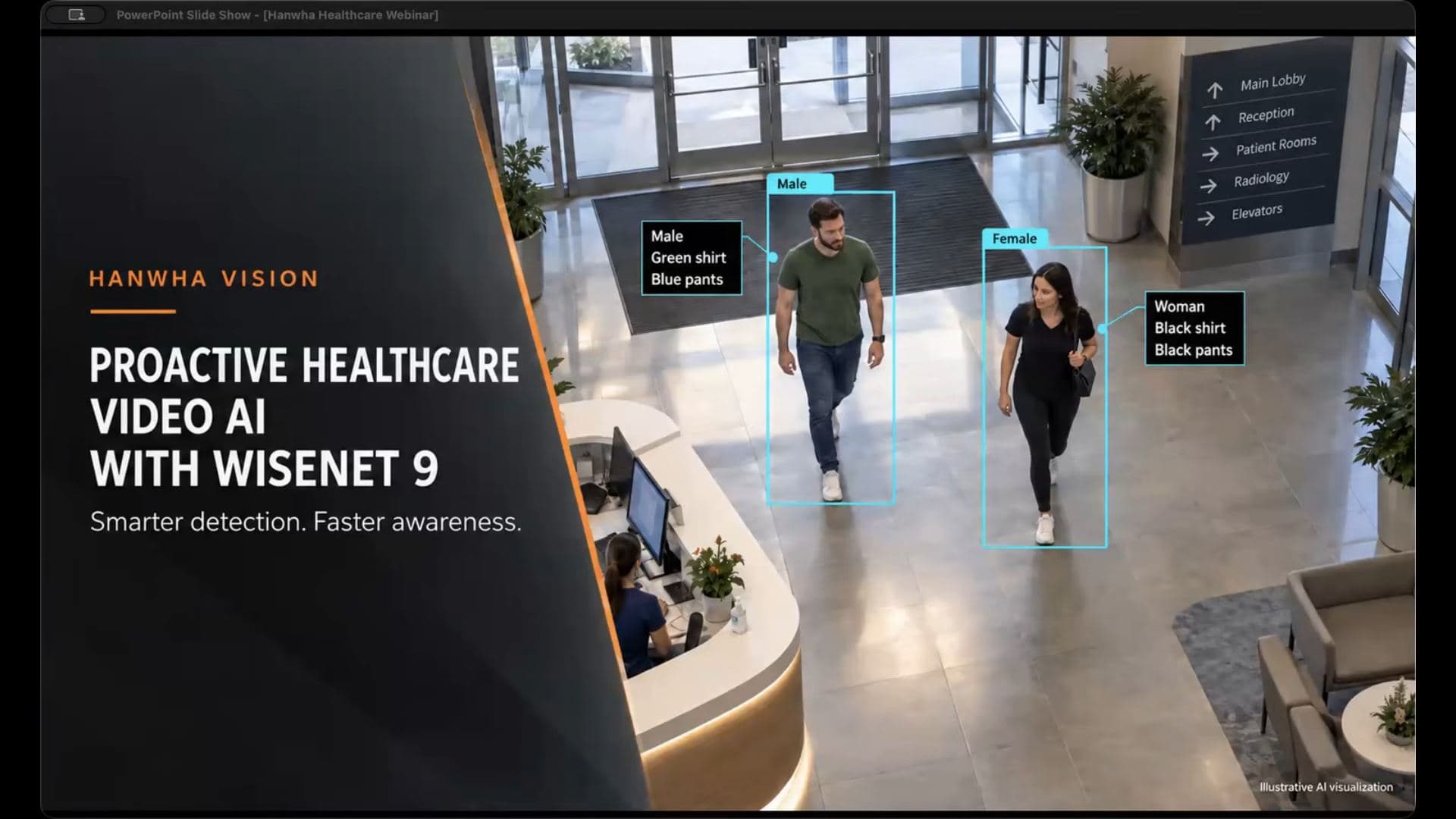
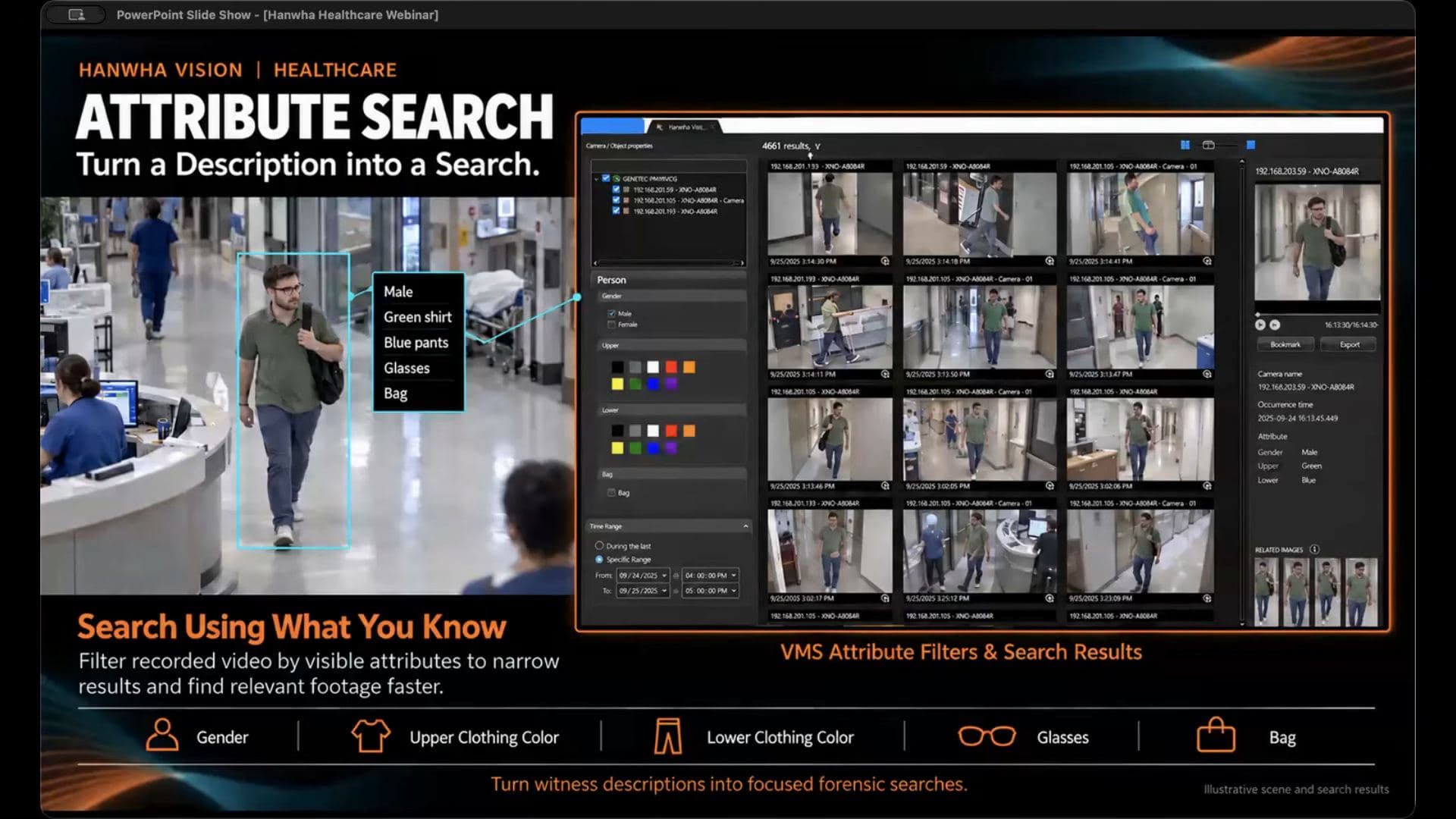
Attribute search starts from a description. The example: a nurse reports a man wearing a green shirt, blue pants, carrying a bag, wearing glasses. The operator narrows by time range and cameras, then filters on attributes like gender, upper and lower clothing color, glasses, and bag. The demo screen on the slide shows the filter panel and the returned thumbnails. Instead of opening every camera and scrubbing from the beginning, the reviewer gets a focused set. The accuracy tip: if you're unsure about a clothing color, start with fewer filters and refine. Quality of the description drives quality of the results.
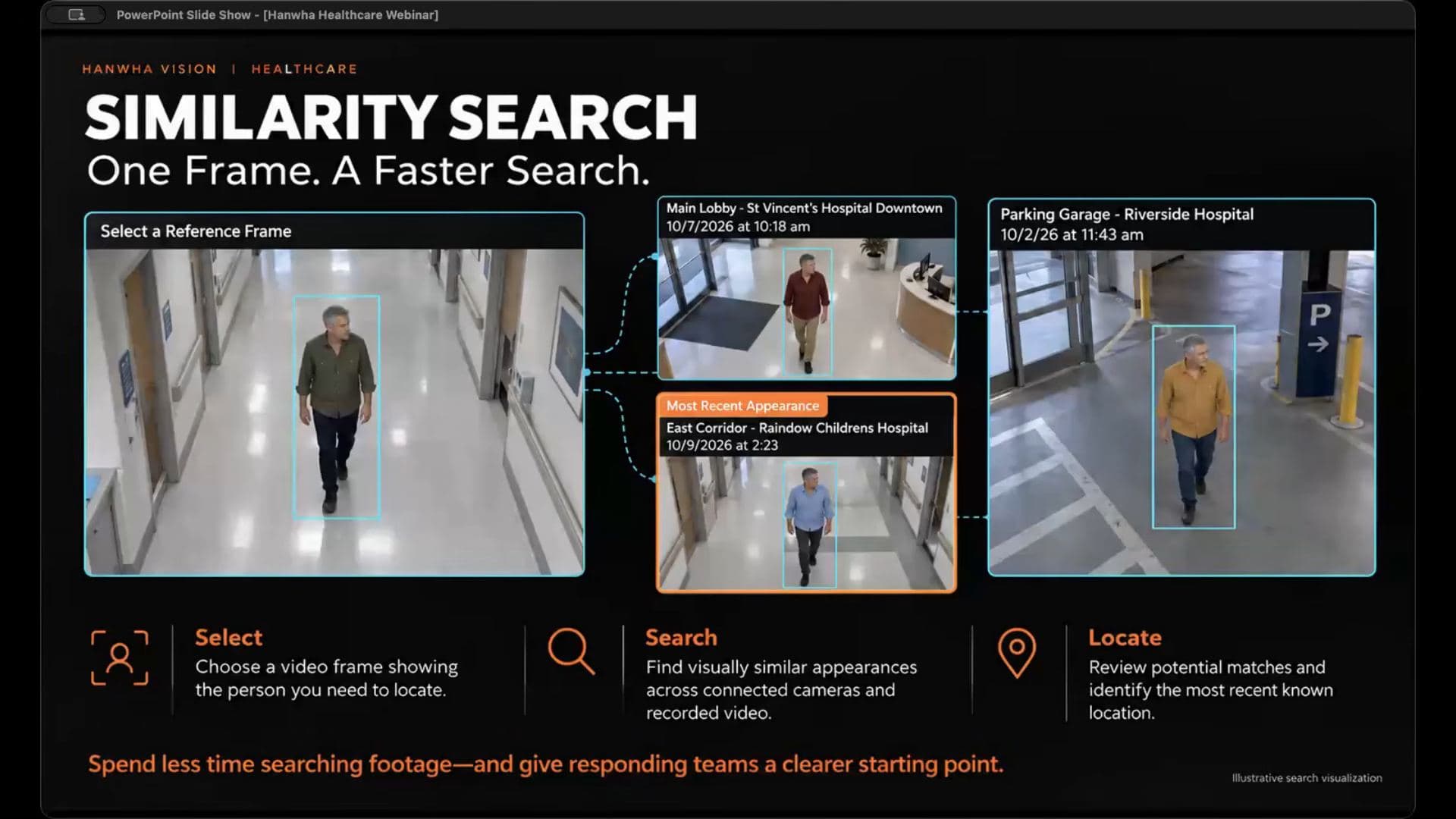
Similarity search starts from an image instead of words. Take one frame of the person you want, and the system finds visually similar people by body type and characteristics across your cameras. Two scenarios. First, someone who seems to know where every unlocked supply closet is across your hospitals: one clip, and you can follow that one person across one site or several, even as they change clothes. Second, elopement: a patient leaves an authorized area, and one clip tells you the direction, which elevator bank, which stairwell, whether they're still in the building.
Matching cameras to risk
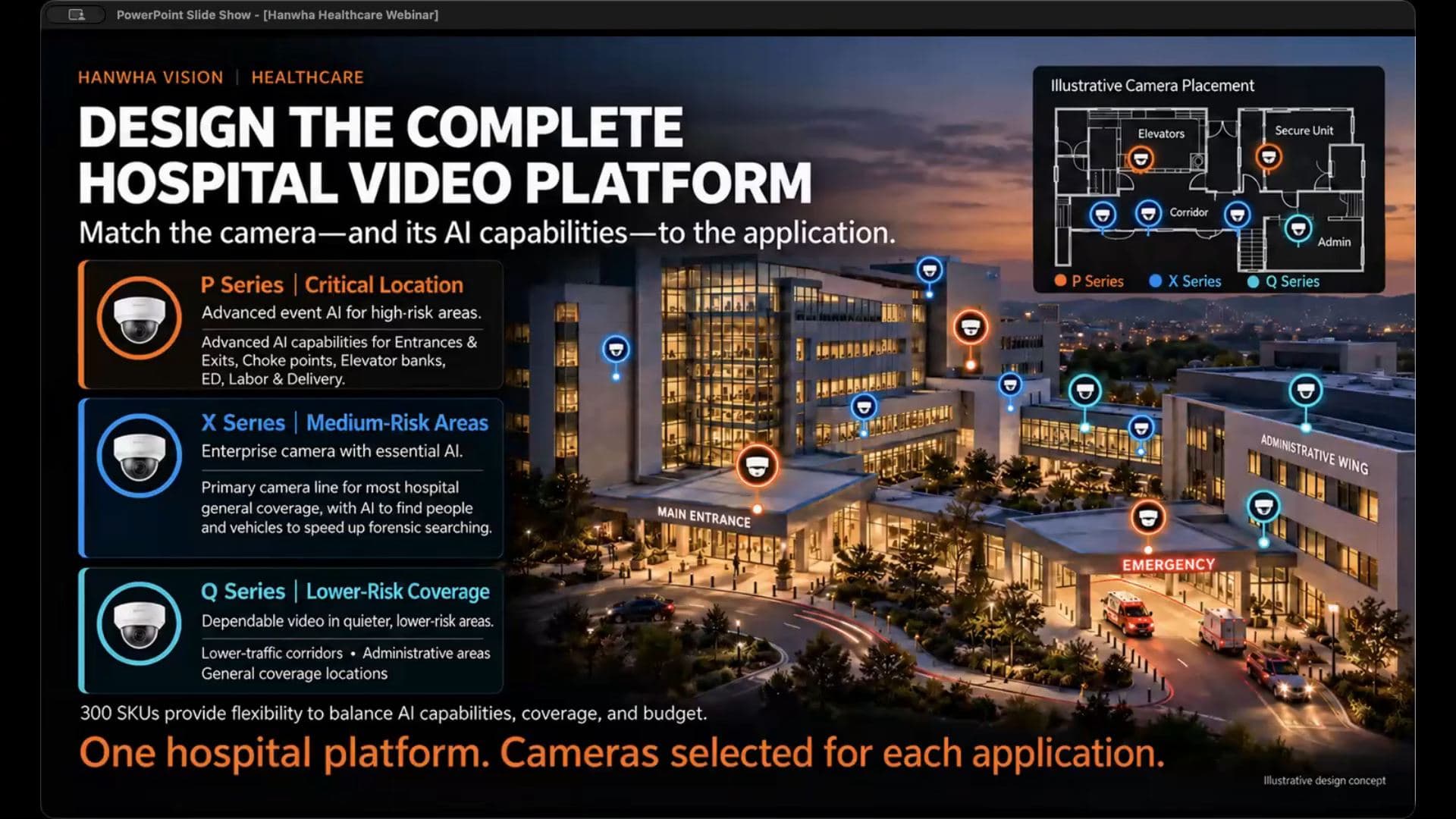
The portfolio slide is the budget argument. Hanwha's hospital recommendation breaks into three tiers:
- P series at critical locations: choke points, entrances, exits, elevator banks, labor and delivery, the ED. Advanced event AI.
- X series for general coverage in medium to high risk areas: the primary enterprise line, with essential AI including the attribute and similarity search.
- Q series for lower risk areas where you want a great image but don't need every advanced analytic.
The slide claims 300 SKUs across the line, which is the flexibility argument: aim the budget at the locations that need the most capability and keep coverage everywhere else. For anyone writing a bill of materials, the requirement is that the camera schedule explain the purpose of each location, the required detail, and the analytics included in the design. The camera-by-camera rundown of the current line lives in our Hanwha Camera Guide.
DORI is getting a sequel
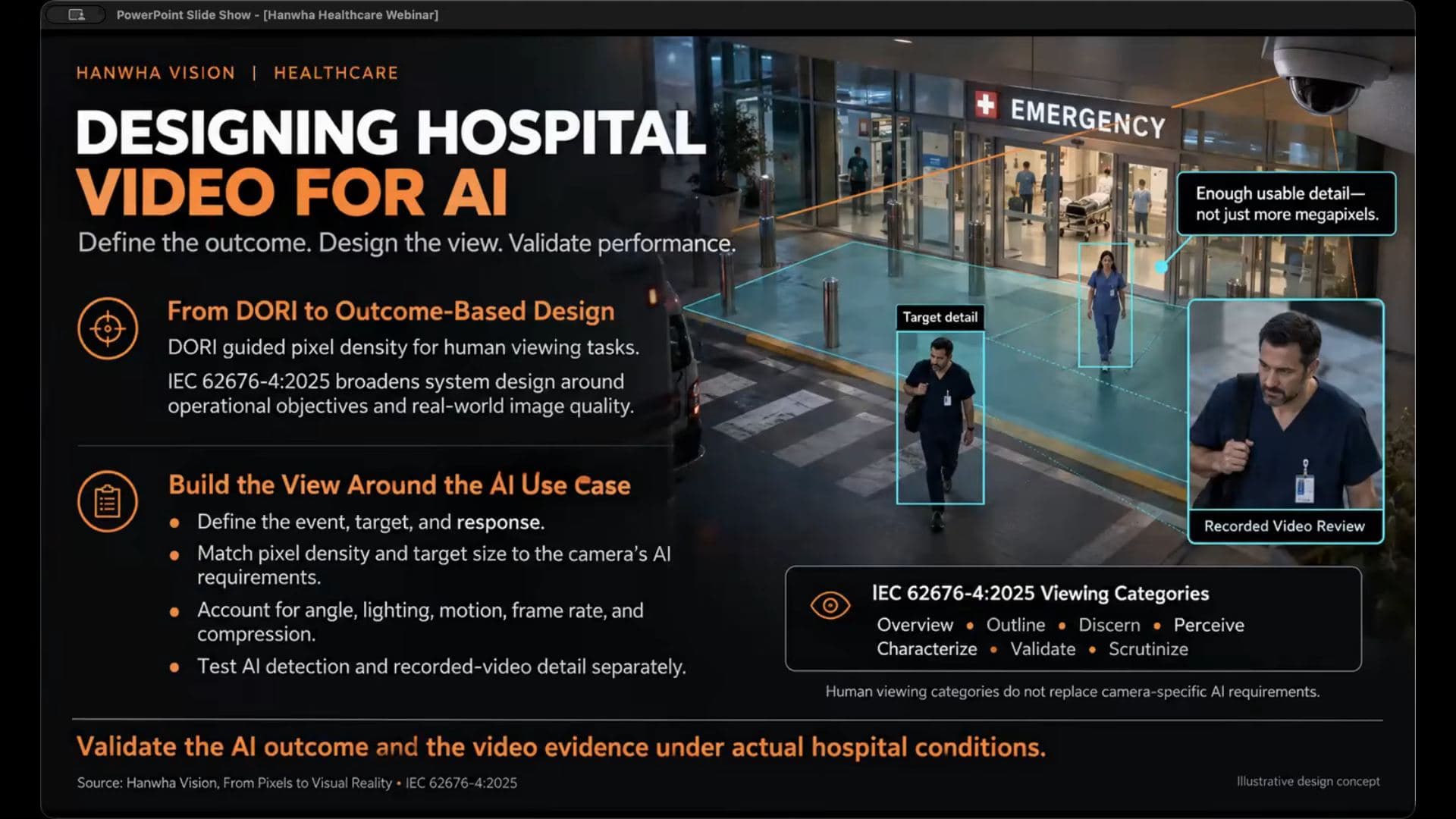
Plenty of us have designed to DORI, detection, observation, recognition, identification, for years. The slide introduces the updated IEC 62676-4 standard, dated 2025, aimed at AI outcomes: making sure the captured video supports the predefined AI tasks you actually care about.
The nuance: pixels on target still matter, but lighting, angle, motion, frame rate, and compression all affect whether the analytic works. And the line worth putting in any camera spec: a camera can detect an event successfully while the recording still lacks the detail an investigator needs. The recommendation: test analytics performance and recorded video review separately, because they are two different pass/fail criteria.
Hardware notes worth knowing
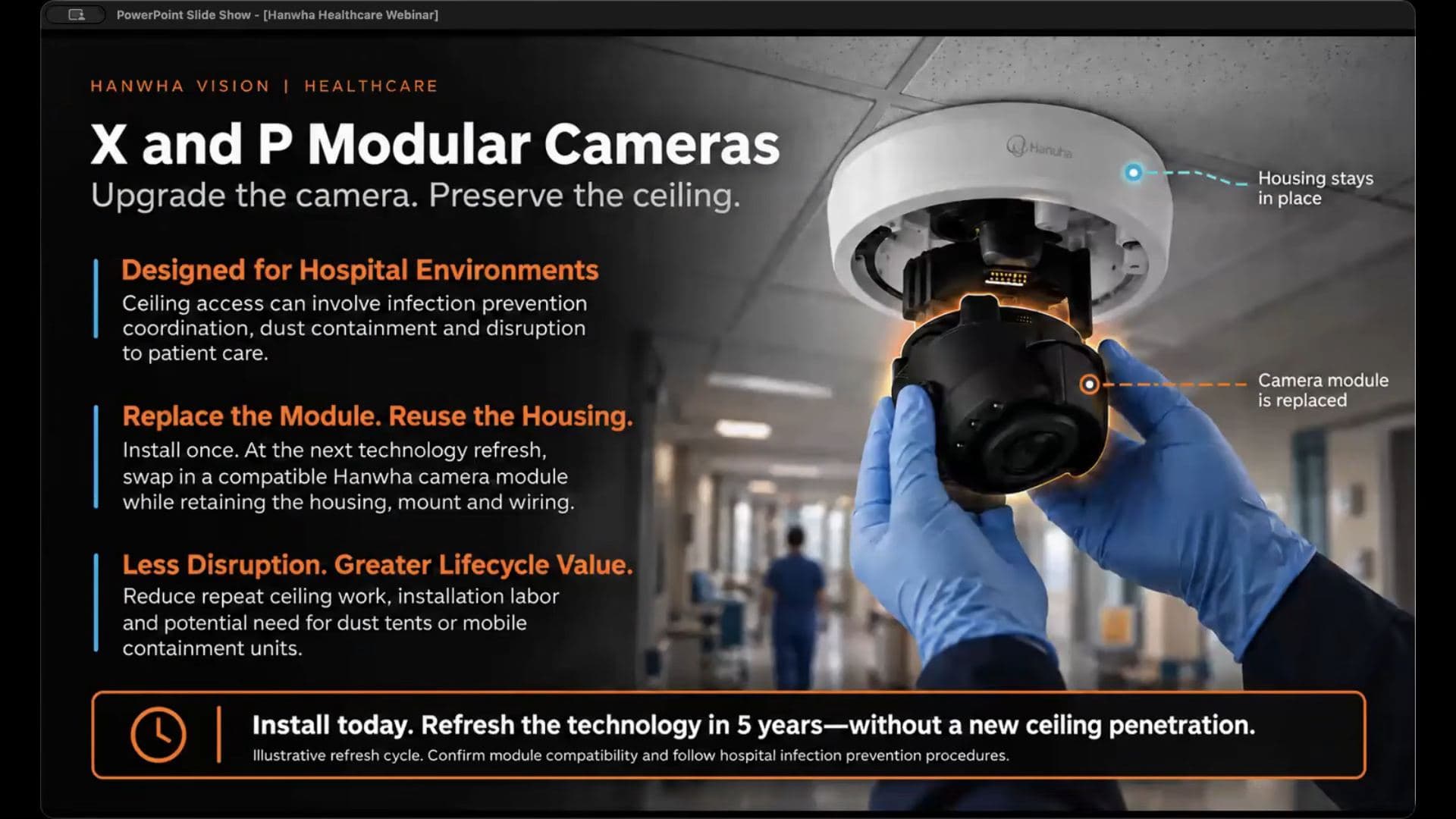
Modular cameras. Unique to Hanwha, and aimed squarely at hospitals where every ceiling opening needs infection-prevention coordination, dust containment, and department sign-off. The housing stays installed permanently. For a refresh: three screws out of the dome, the magnetically held module drops out, new module in, cat 6 in and out, original dome back on. Running in minutes without a new hole in the ceiling.
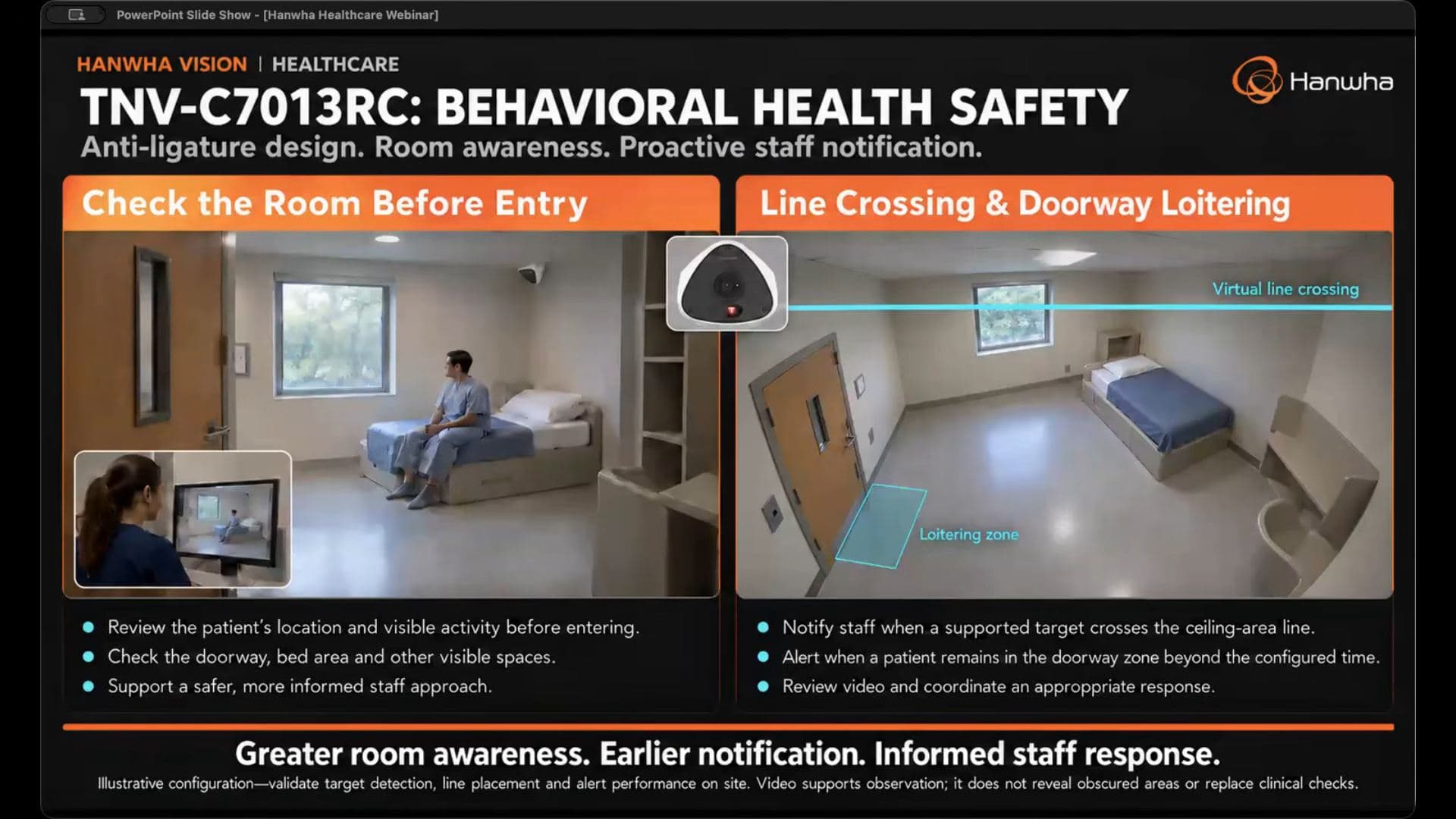
Behavioral health. The TNV-C7013RC is a specialty non-ligature corner-mount camera with a wide view for whole-room awareness. The workflow shown: the nurse checks the monitor before entering to see the patient's visible location and activity, doorway and bed area included, so the approach to the room is informed instead of surprised. The camera ships with 940 nanometer IR, which matters more than it sounds: no glowing red beam in a patient's room, just invisible light and a clean image in the dark. The slide also shows virtual line crossing and doorway loitering zones tuned for patient rooms.
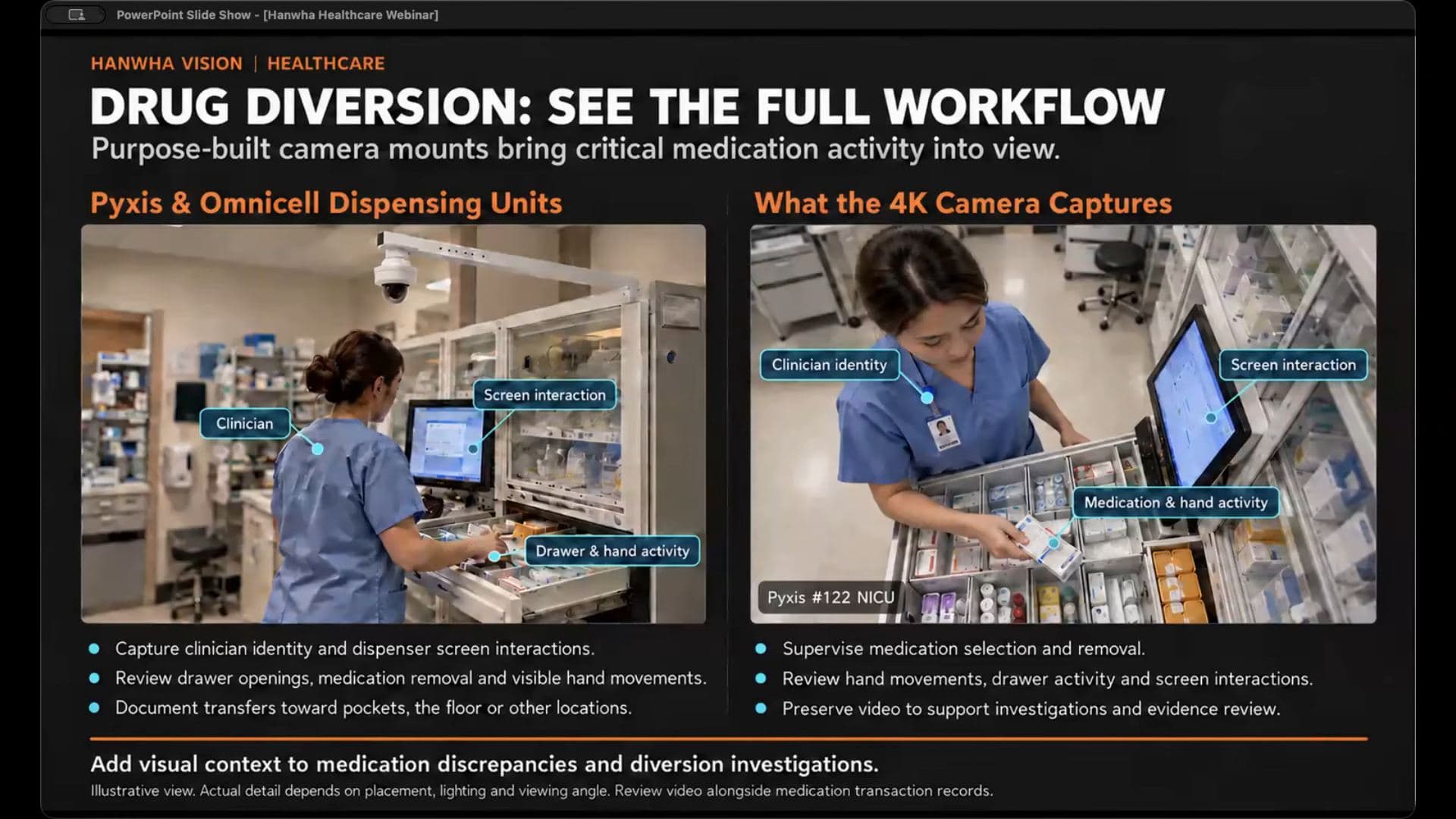
Medication diversion. A purpose-built mount positions a camera over a Pyxis or Omnicell dispensing unit. The observation about the usual alternative is blunt: a fisheye or fixed camera in the middle of the room doesn't capture the dispenser screen, the drawers opening, or what the hands are doing. The mounted view is aimed at the clinician's visible identity, the screen interaction, and the activity around the open drawer: what drawer opened, where the hands moved, whether an item headed toward another work surface, a pocket, or the floor. The workflow pairs the video with the dispenser's own transaction records, so the investigator reviews them together instead of concluding from an isolated report.
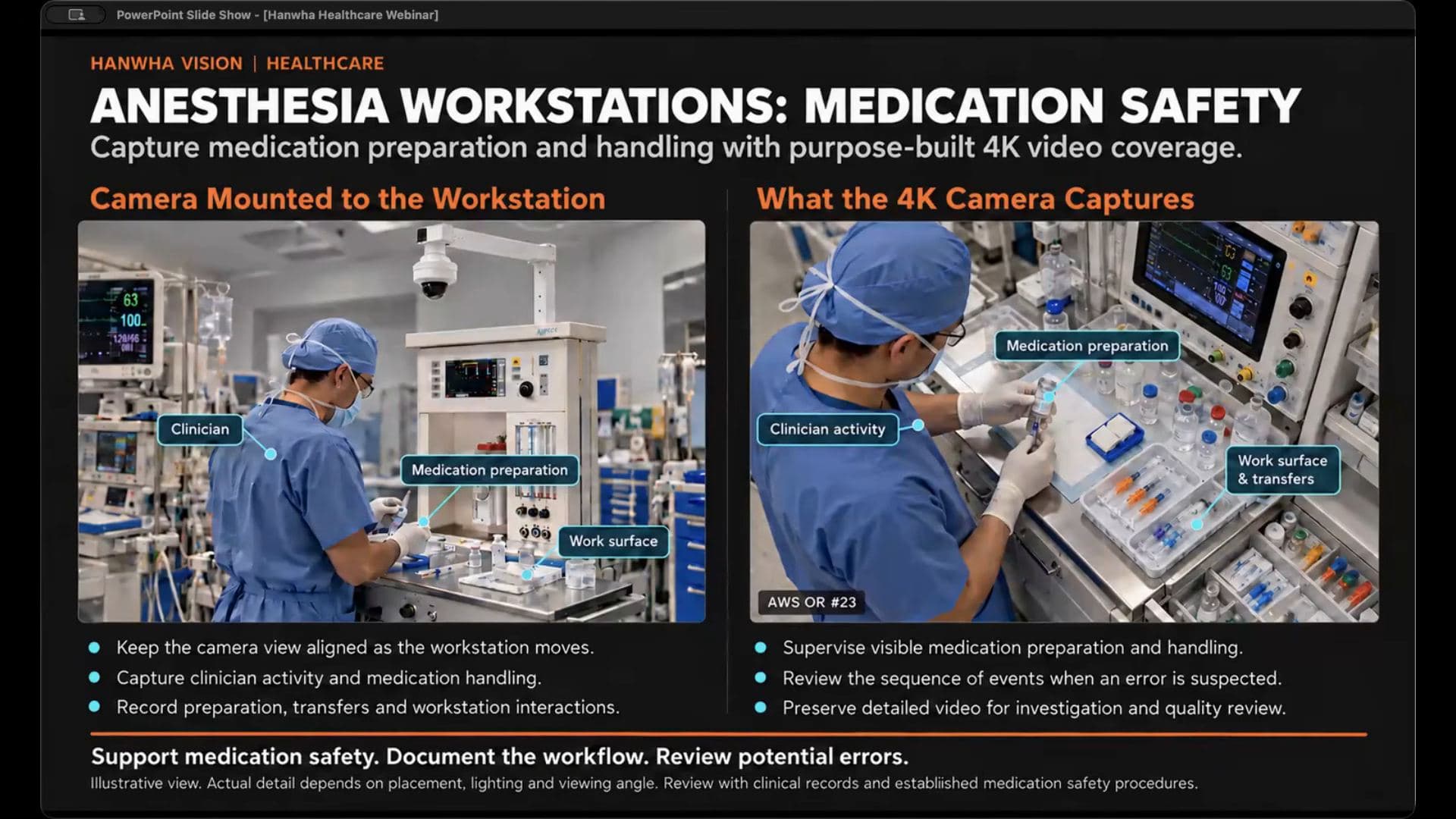
Anesthesia workstations. Same principle on wheels. The mount puts the camera on the workstation itself, so the view follows the machine as it moves around the room, capturing medication preparation, clinician activity, and work surface transfers. Honest limitation from their own hospital testing: hands can block the camera and labels can face away from it. That's the kind of caveat I'd rather hear from a vendor than discover myself.
One device, two-way audio
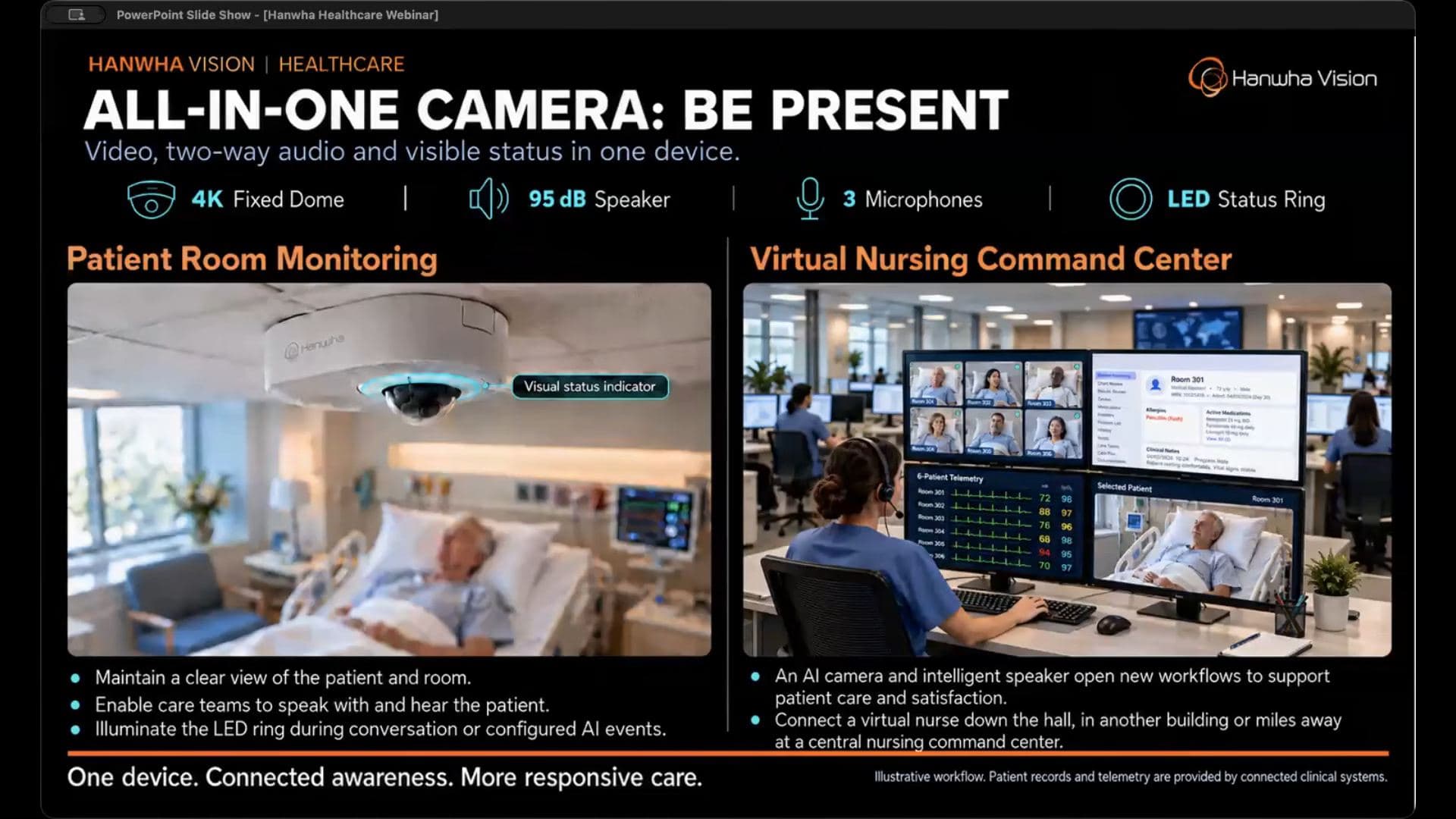
The all-in-one camera packs a 4K fixed dome, a 95 dB speaker, three microphones, and an LED status ring into one unit. The first application is virtual care: the device in the patient room monitors status and movement while a virtual nurse or sitter is down the hall, in another building, or at a command center thousands of miles away. The LED ring can light under configured conditions or AI events. The adjacent workflows this opens: fall reduction, eating disorder monitoring, medication verification, and hospitals adopting in-room tech to supplement nursing and speed up bed turnover. Integrations go into health record and care platform partners, including virtual nursing interfaces for adult hospitals, memory care, and assisted living.
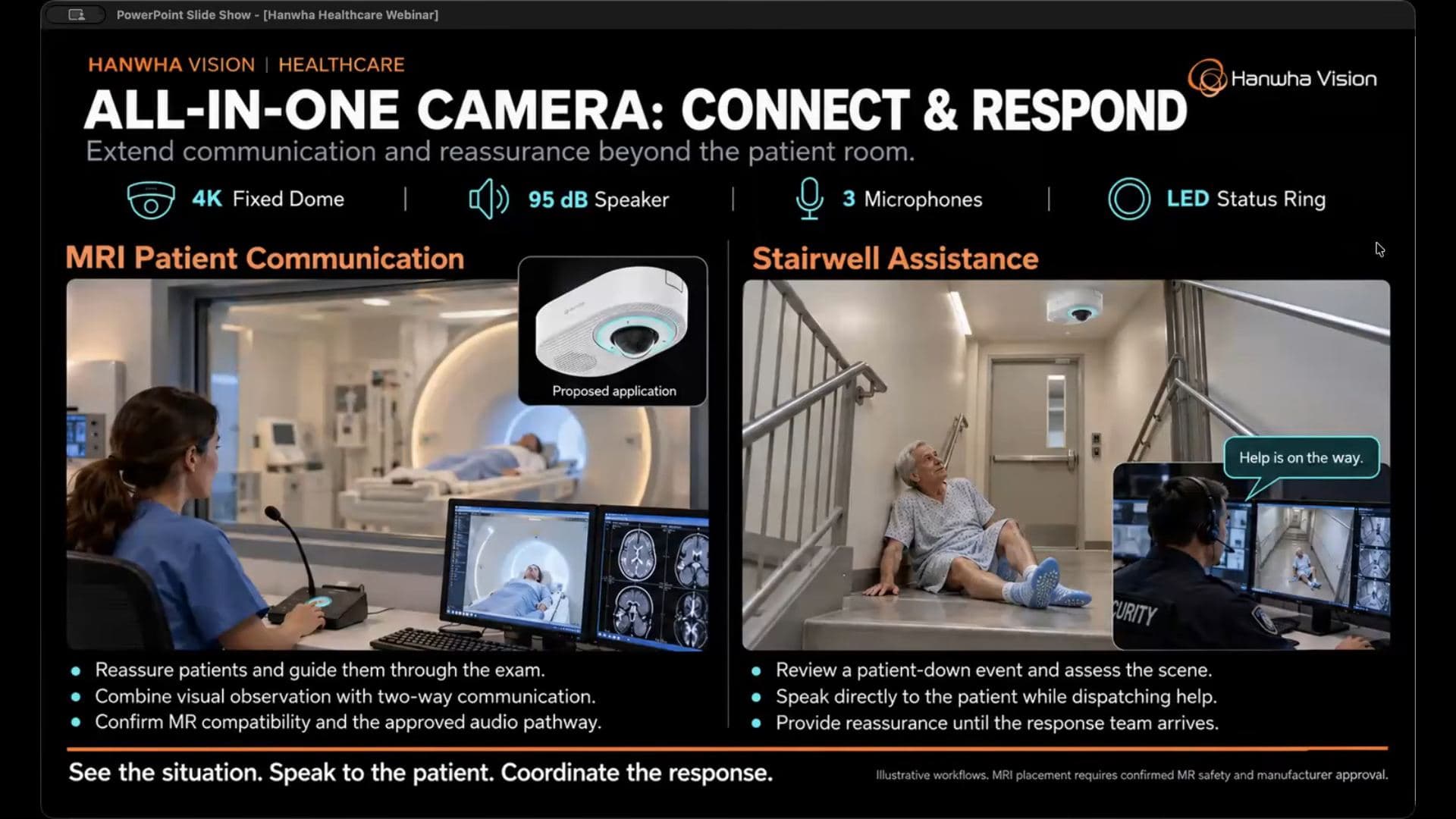
Two more uses of the same device. In the MRI suite, staff watch through a VMS and talk the patient through the exam; the 4K image and the speaker and microphone array carry the reassurance. And in a stairwell, where someone may be in distress or a violent incident may be starting, the embedded AI gives the operator a view and context fast enough to matter. Most of the analytics covered earlier run on this unit too, so the same line-crossing and loitering logic applies inside a patient room.
Straight answers
Two answers worth carrying into any design conversation, and the first is the most honest vendor line on this topic.
On whether the all-in-one camera integrates with nurse call systems:
"Probably the answer is maybe."
There are partnerships with a few nurse call manufacturers, sometimes through a third-party application, sometimes native, and nurse call makers are building video integrations on their side too. It depends on the manufacturer and what outcome the hospital wants. Translation: ask before you promise it in a design.
On securing the camera itself in behavioral facilities: non-ligature means no protruding screws, edges, or mounts, nothing someone could tie off to. The corner-mount line has several variations across megapixel counts and AI options, including a plenum-rated model.
Similarity search is the standout feature here, and the general point worth keeping: know what your VMS supports, because VMS compatibility determines which of these camera-side AI features you actually get end to end.
What I'd tell someone else
- Pick the one location before you pick the camera. That ordering is the sales pitch, but it's also the correct design order.
- Define who owns each alert before it goes live. An alert with no owner is noise.
- Pilot in a defined area with a defined response, and have the responding team physically rehearse it.
- Test camera shootouts under your real lighting, not the demo reel's.
- Test the AI detection and the recorded video quality as two separate pass/fail checks.
- Start attribute searches with fewer filters, then tighten. Garbage description in, garbage results out.